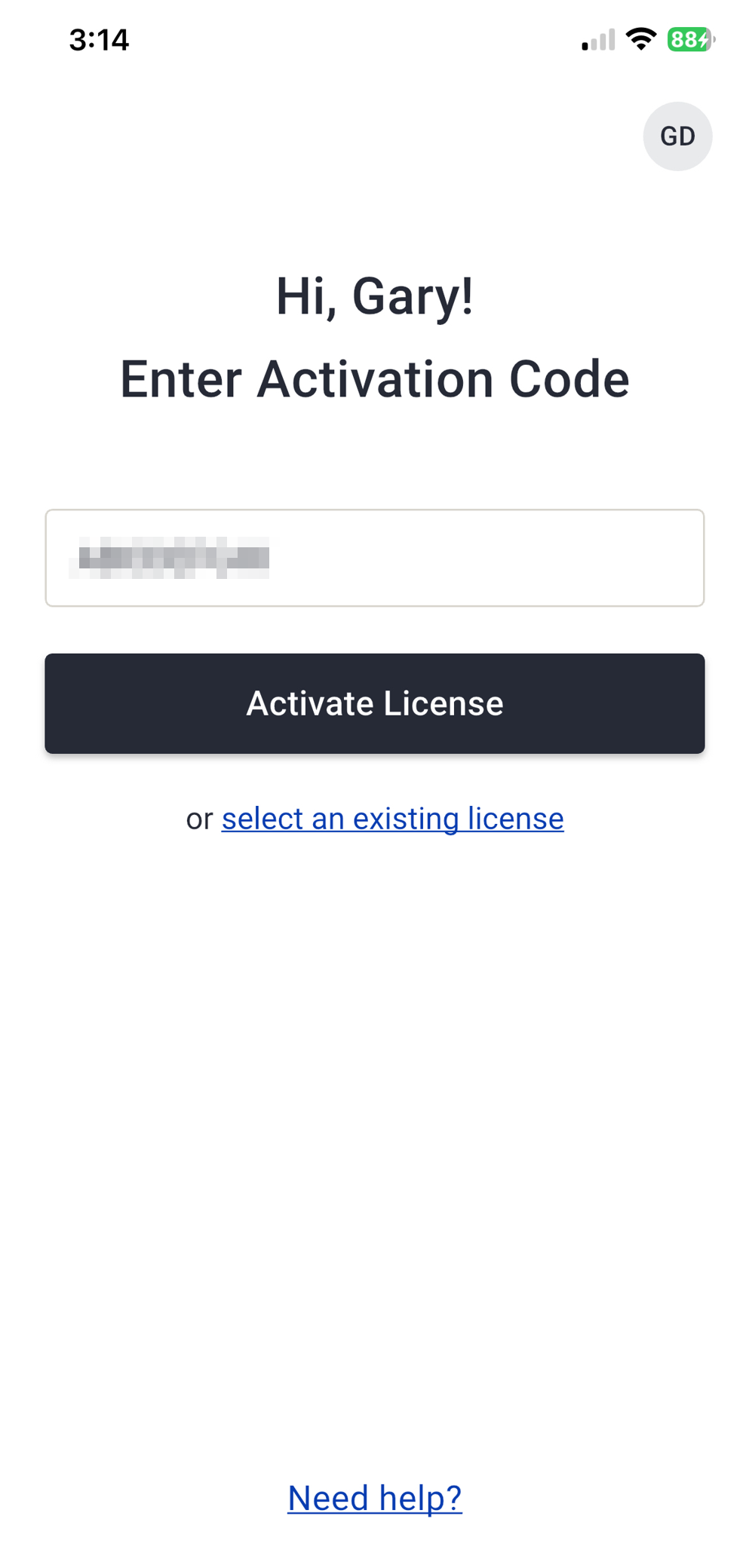
- Enter your booth’s unique activation code.
- Select Activate License.
- Review the User Acknowledgement message, select the checkbox to confirm you have read and acknowledge the message, then select Continue.
- Review the license details and select Activate License again to confirm.
- The license is now associated with your user account and you can start scanning badges.
Download the Mobile App
The Lead Capture Mobile App is separate from the attendee mobile app. Search Eventscribe Lead Capture in the Apple App Store or Google Play Store and download the app to your mobile device.
Log In
Each booth staff person must log in to the Lead Capture Mobile App. If an account doesn't already exist, the user will be prompted to create one. For more information, read this article.
Anyone can log in to the mobile app; they do not need to be registered for the event. Authorization is handled through the booth's unique license activation code.
Activate a License
To use the Lead Capture Mobile App, you must activate a license.
- Each booth receives one unique activation code. This code can be used on as many devices as the booth has licenses. For example, if a booth has five licenses, the same code can activate licenses on five devices.
- Each license can be activated on one device and cannot be shared between devices.
- Once activated, a license cannot be transferred to another user or cancelled.
Follow these steps to activate a license:
Switch License
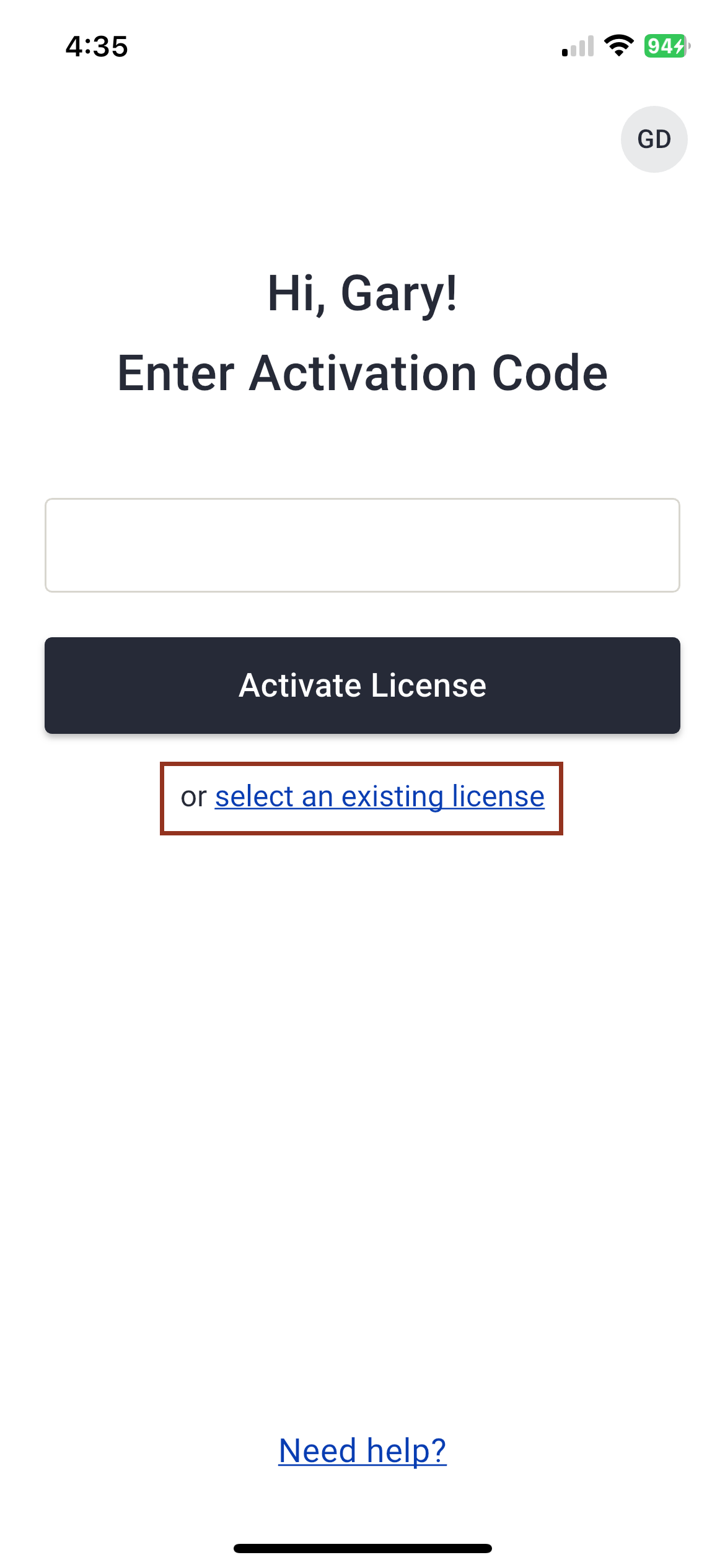
- If you have already activated a license and need to return to an existing session or switch between booth licenses, select Select an Existing License on the Enter Activation Code screen.
- A common reason to switch licenses is when a booth staff person is working at multiple booths and needs to move between those booth licenses.
- On the Select License screen, choose the appropriate license from the dropdown list and select Continue
IMPORTANT NOTE
Review the Saving & Syncing Your Data article for important information and best practices to help prevent data loss.
Last modified May 07, 2026
Was this article helpful?
That’s Great!
Thank you for your feedback
Sorry! We couldn't be helpful
Thank you for your feedback
Feedback sent
We appreciate your effort and will try to fix the article