App – Cancel an Appointment Request (Sender)

Before You Begin

Only the sender can cancel a pending appointment request.

Step 1: Open the Chat

  • Navigate to the chat conversation where the appointment was sent.

Step 2: Open the Appointment Card

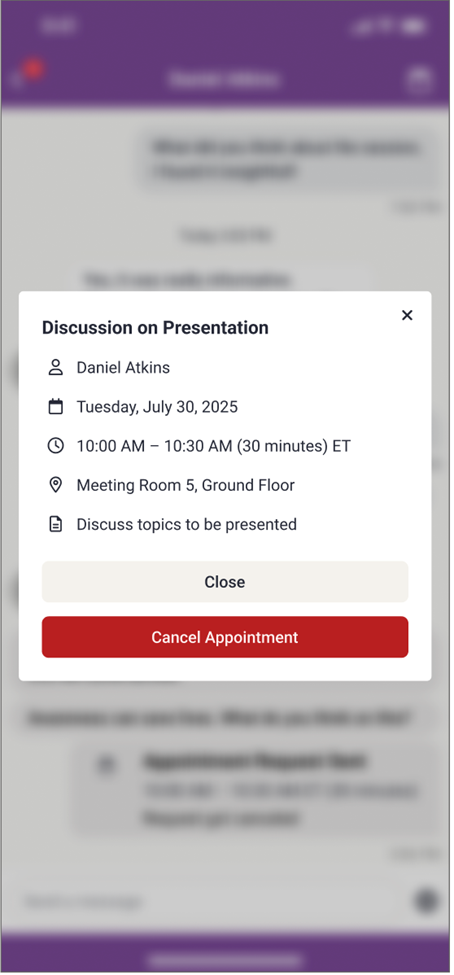
  • Select the appointment card to view the Appointment Summary.

Step 3: Cancel the Request

  • Choose Cancel Appointment.
  • The appointment status updates within the chat.

After Canceling

  • The recipient is notified that the appointment was canceled.
Replace Me

Helpful Notes

  • Canceling an appointment cannot be undone.
  • Create a new request if a different time is needed.

Was this article helpful?

That’s Great!

Thank you for your feedback

Sorry! We couldn't be helpful

Thank you for your feedback

Let us know how can we improve this article!

Select at least one of the reasons
CAPTCHA verification is required.

Feedback sent

We appreciate your effort and will try to fix the article