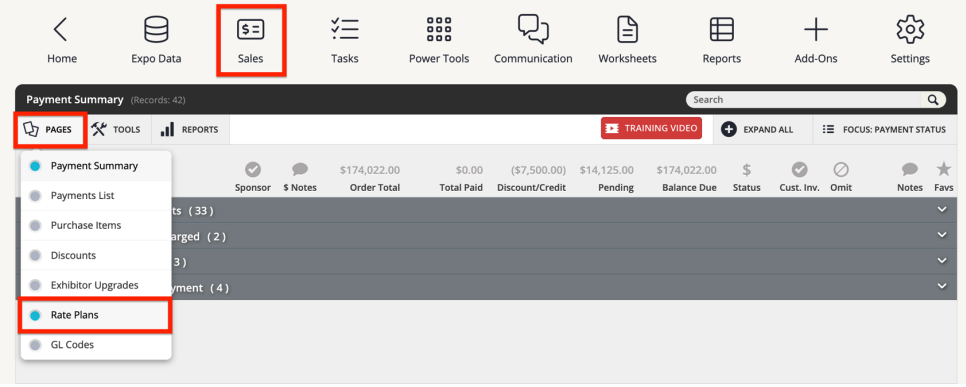
- Navigate to the Sales module. Click PAGES from the top toolbar, then Rate plans.
What are Rate Plans?
Rate plans are a pricing configuration feature used in the Expo Harvester to apply different pricing structures to booths, sponsorships and exhibitor upgrades based on exhibitor characteristics. In other words, rate plans allow event organizers to charge different prices to different types of exhibitors for the same booth, sponsorship item or exhibitor upgrade.
Rate plans support pricing differentiation based on:
- Company Type: Custom exhibitor types defined by the organization (e.g.,small business, corporation, startup)
- Member vs. Non-Member Status: Members of the organizing association versus non-members
Rate plans can also be used to switch easily from an early bird rate to a regular rate.
Adding a rate plan:
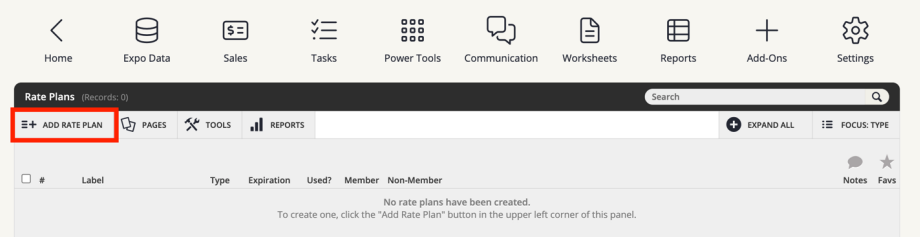
- Once on the rate plans page, click the Add Rate Plan button.
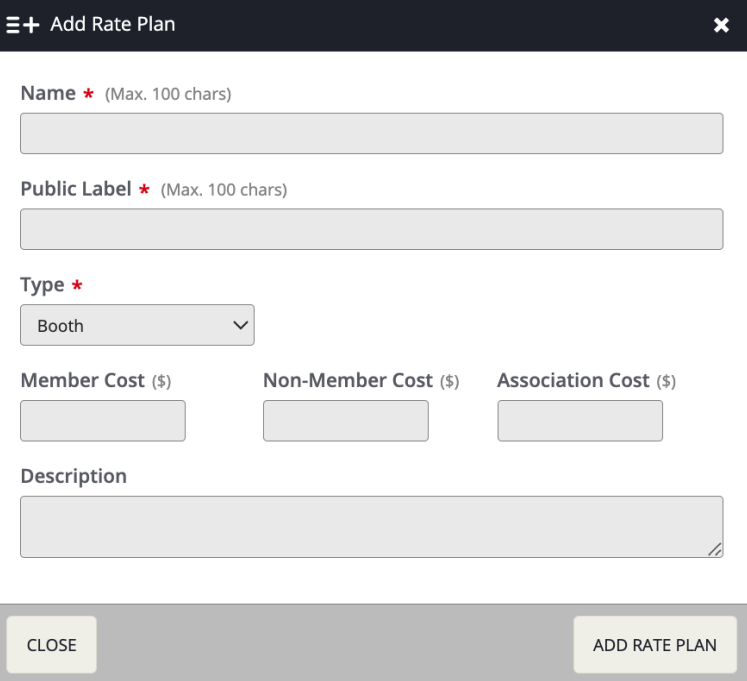
- A pop-up will appear that requires the rate plan name, public label, and the type. A rate plan can be for booths, sponsor items, and exhibitor upgrades. You can also add the member, non-member, association cost, and description. Click Add Rate Plan.
- To add prices based on company type, click the row for your newly generated rate plan, click Edit, then navigate to the Company Types tab. Populate the costs, then click Save Changes.
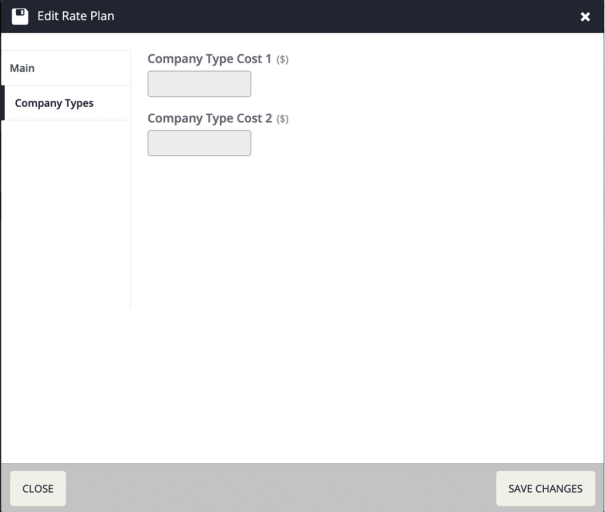
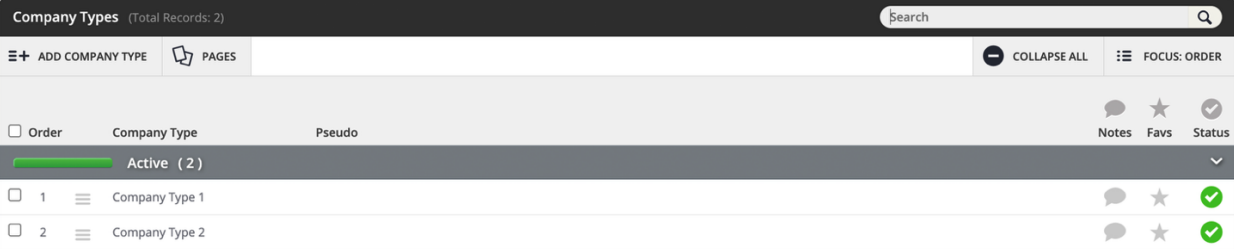
- Company types will be listed here in the same order that they appear on the Company Types page.
Last modified Aug 03, 2026
Was this article helpful?
That’s Great!
Thank you for your feedback
Sorry! We couldn't be helpful
Thank you for your feedback
Feedback sent
We appreciate your effort and will try to fix the article