The Email Banner section lets you upload a banner image that will appear at the top of all campaign emails, providing consistent branding across your communications (Fig 1).
To access this section, go to the home page and click Settings, then select Email Banner from the left-hand navigation panel.
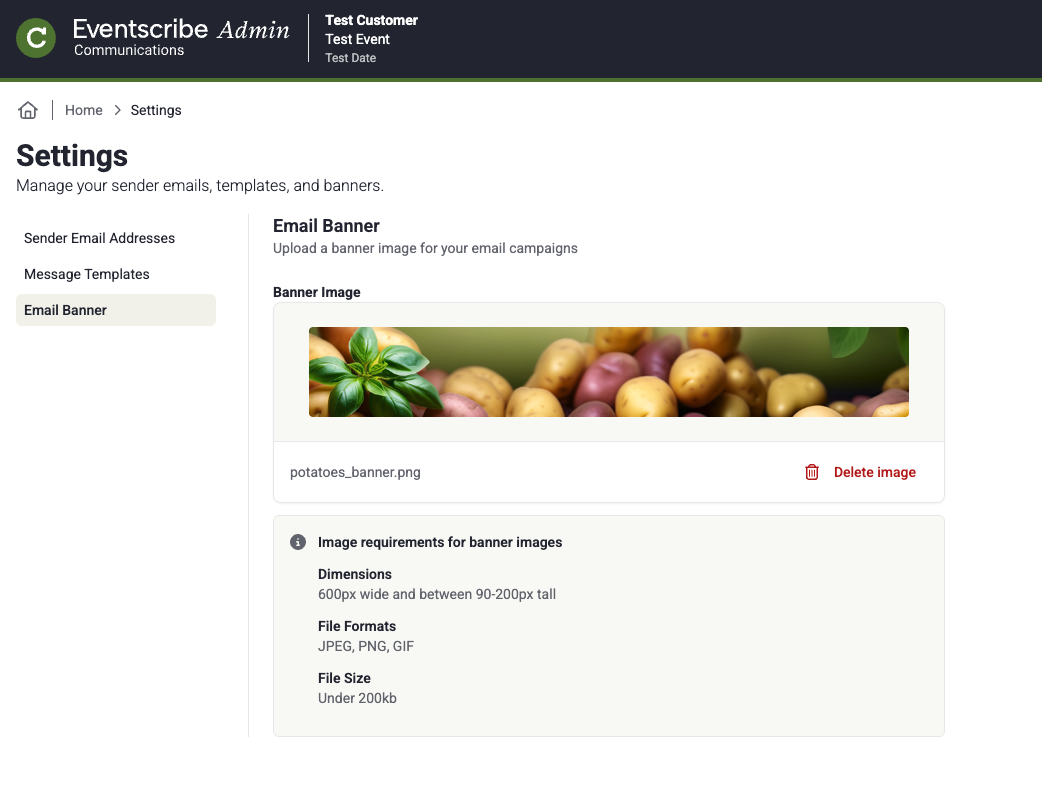
Fig. 1 - Email Banner
Uploading a banner
Click the upload area or drag and drop an image file onto it to set your banner. Once uploaded, the image will be used automatically in all campaigns sent from this event.
Recommended specifications
| Specification | Recommended value |
| Dimensions | 600px wide |
| File formats | JPEG, PNG, GIF |
| File size | Under 200kb |
Deleting an Image
Once you delete an image, it cannot be recovered.
Last modified Jul 29, 2026
Was this article helpful?
That’s Great!
Thank you for your feedback
Sorry! We couldn't be helpful
Thank you for your feedback
Feedback sent
We appreciate your effort and will try to fix the article