This article covers how to mark a company as not returning in the Multi-Year Company Index. This process prevents the Past Exhibitor from receiving any communications using the Past Exhibitors distribution lists.
If you notice that the Past Exhibitor record seems incomplete or inaccurate, please check with your Project Manager to graduate the data from the past event.
Process
- Launch the Expo Harvester for your event. In the main navigation, hover over the Expo Data icon then select Companies (Fig. 1).

Fig. 1 - Expo Harvester Data Icon Drop-down.
- Click Pages and then select Multi-Year Company Index (Fig. 2).
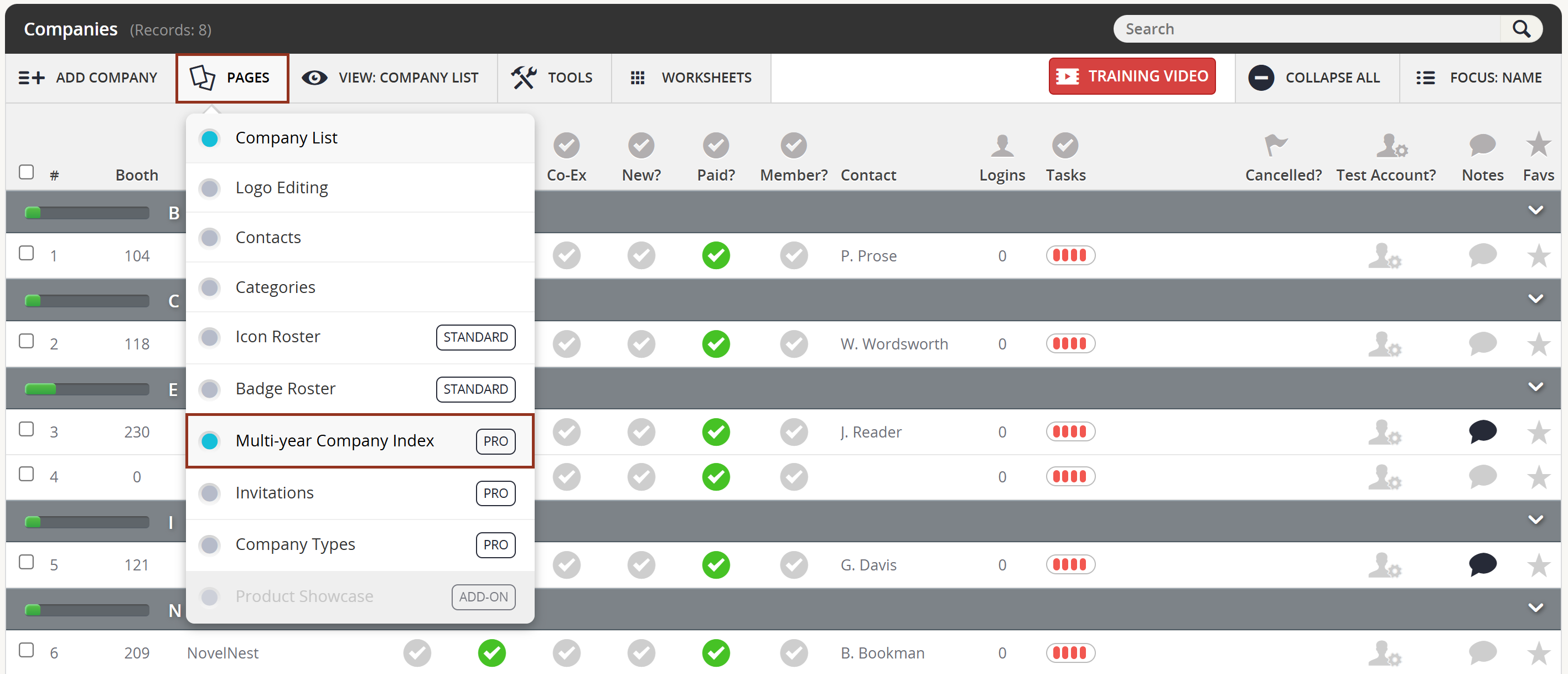
Fig. 2 - Pages Button Multi-year Company Index.
- Note the Not Repeat column on the Multi-Year Company Index page. Simply click that icon for each company known not to be returning to omit them from any Past Exhibitor email campaigns.
Icons that are red indicate companies that are not returning. Select the icon again to remove the non-returning status (Fig. 3).
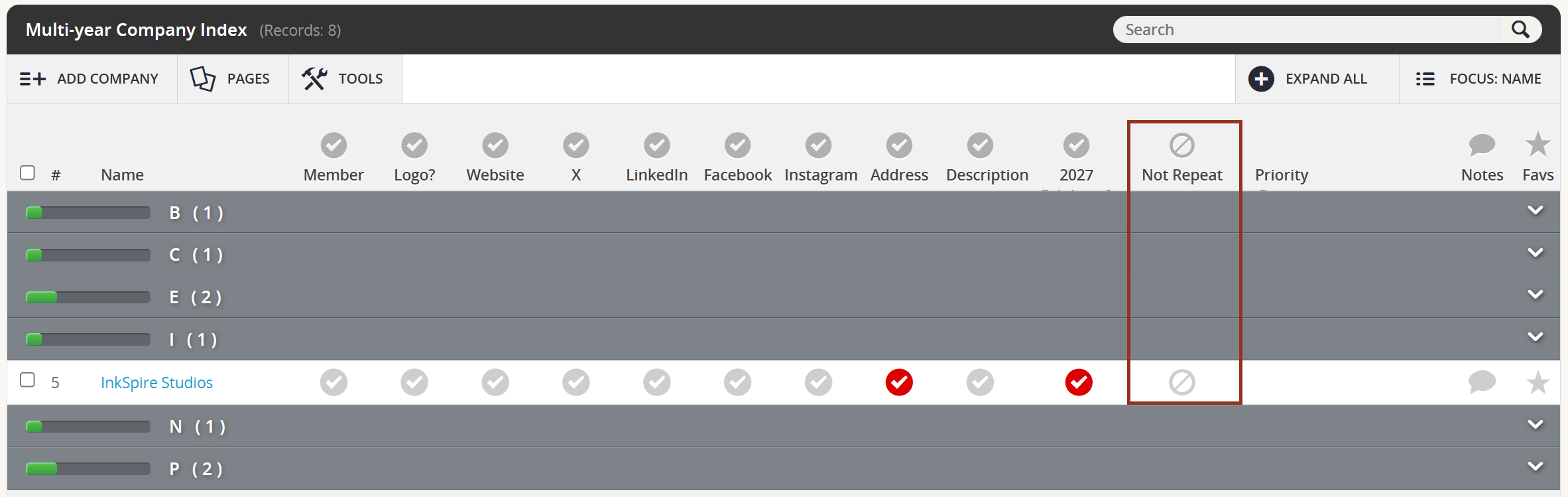
Fig. 3 - Multi-year Company Index Page.
Was this article helpful?
That’s Great!
Thank you for your feedback
Sorry! We couldn't be helpful
Thank you for your feedback
Feedback sent
We appreciate your effort and will try to fix the article