First, select the Settings icon from the top of the page in the Survey Magnet administrative dashboard to open the Settings page. (Fig. 1).
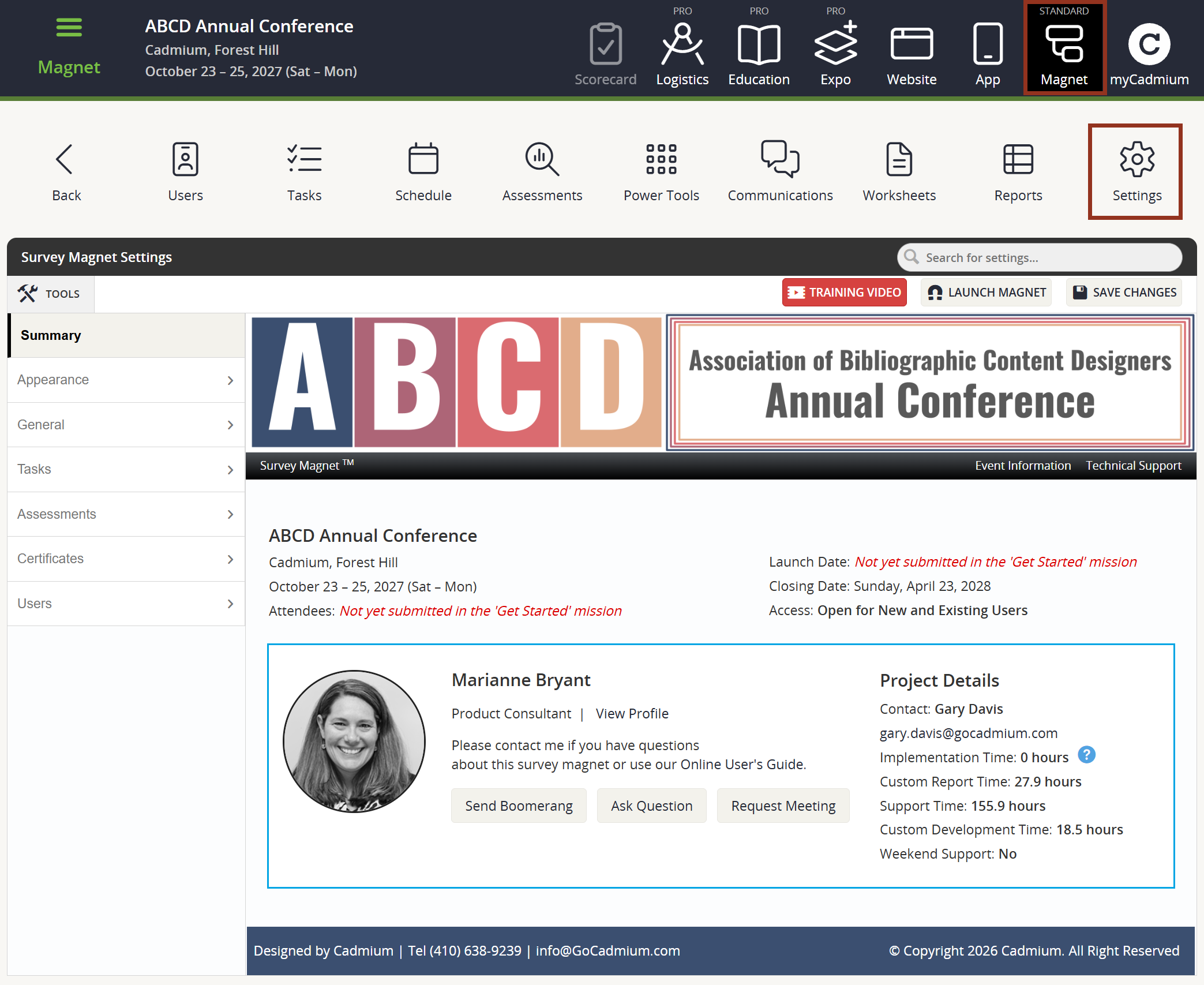
Fig. 1 - Survey Magnet Settings Page.
To adjust settings related to quizzes or evaluations, locate Assessments > Labels within the left-hand navigation panel (Fig. 2). If your Survey Magnet will have graded quizzes, choose to adjust the Default Previous or Next Button Text.
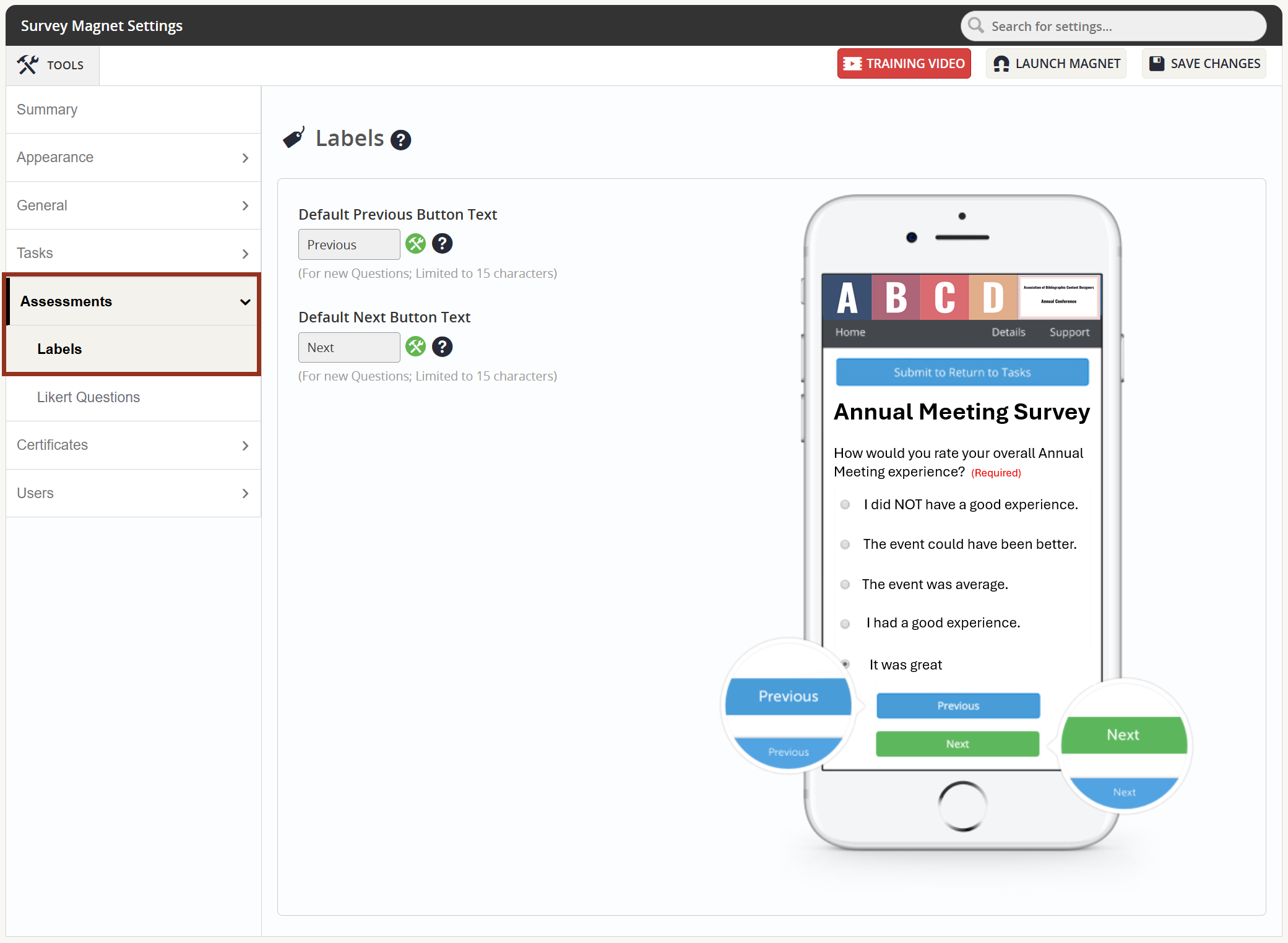
Fig. 2 - Assessments Tab Labels Sub-Tab.
For Likert style questions, choose to adjust the Labels and Numeric Values by locating Assessments > Likert Questions (Fig. 3). Labels are limited to 20 characters. These values will, by default, will be used for every Likert style question created in the Survey Magnet.
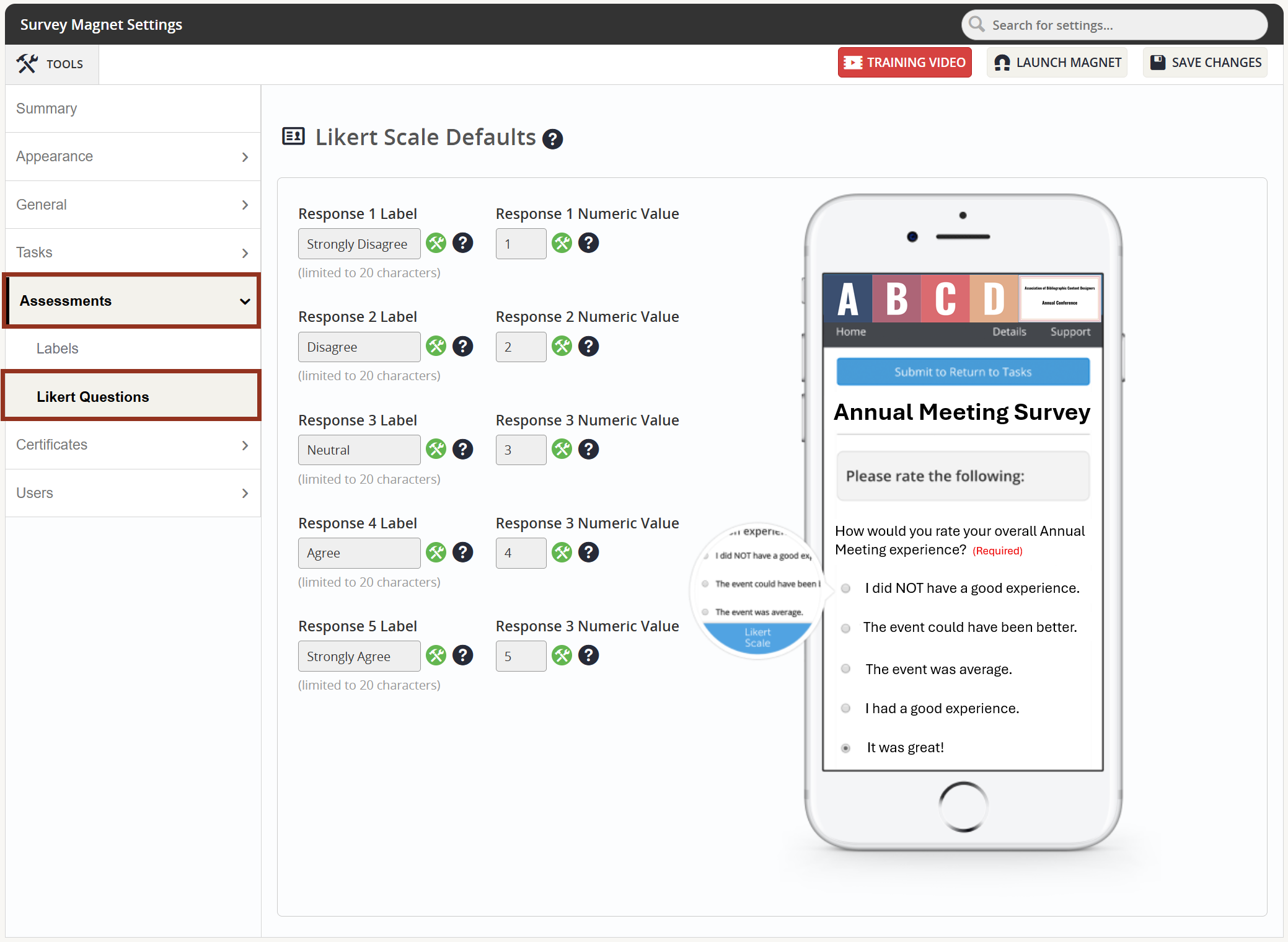
Fig. 3 - Assessments Tab Likert Questions Sub-Tab.
Remember to select the 'Save Changes' button.
Was this article helpful?
That’s Great!
Thank you for your feedback
Sorry! We couldn't be helpful
Thank you for your feedback
Feedback sent
We appreciate your effort and will try to fix the article