If configured by the event organizer, booth admins can purchase licenses for the Lead Capture Mobile App in the Lead Capture Exhibitor Portal. Follow the steps below to purchase licenses:
- Select the Purchase License button (Fig. 1).
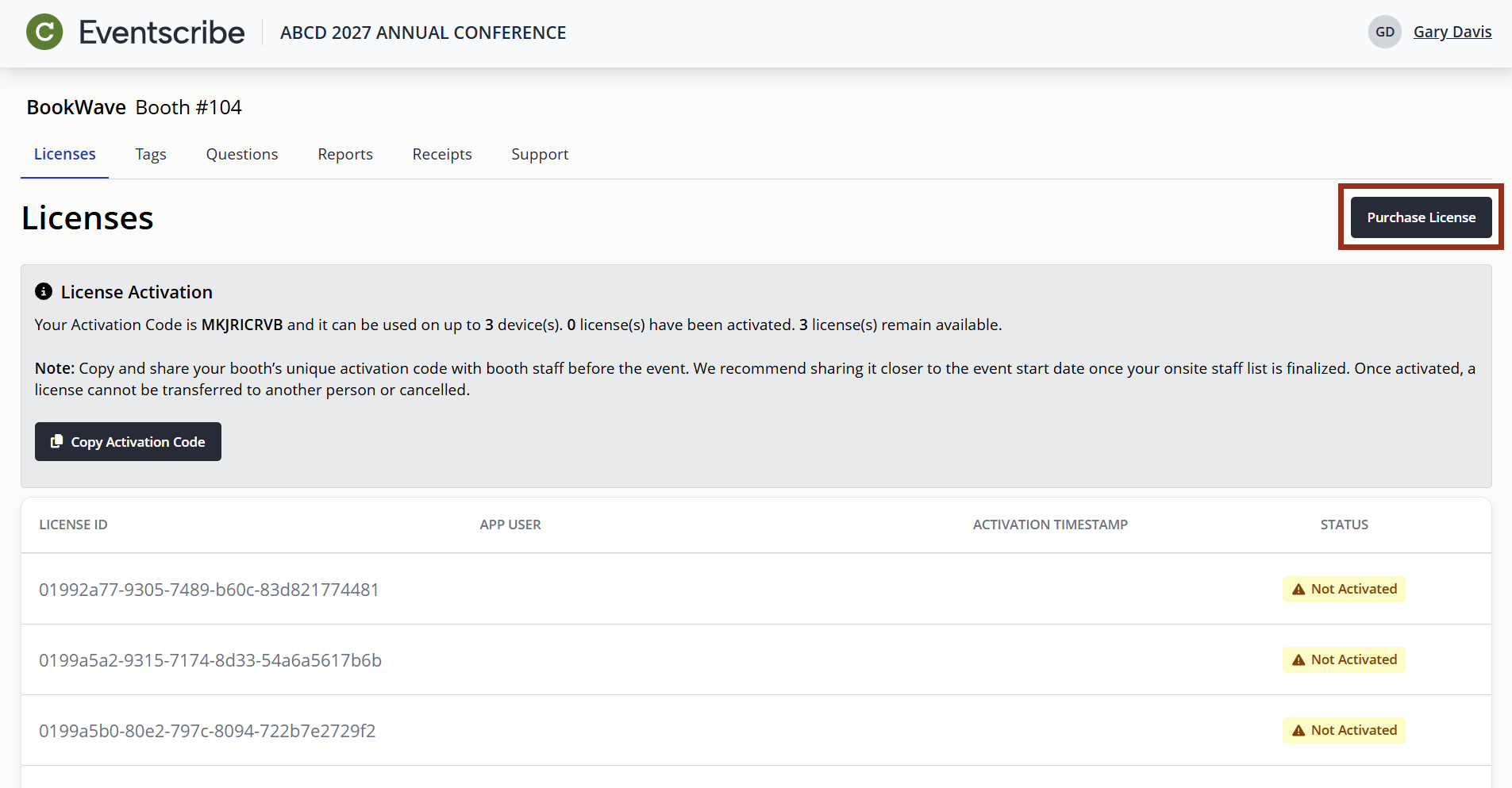
Fig. 1 - Lead Capture Exhibitor Portal Purchase License Button.
- Review the license pricing grid.
- Enter the number of licenses you would like to purchase in the License Quantity field.
- For guidance on how many licenses to purchase, review this article.
- Select the Proceed to Checkout button to review your order summary (Fig. 2).
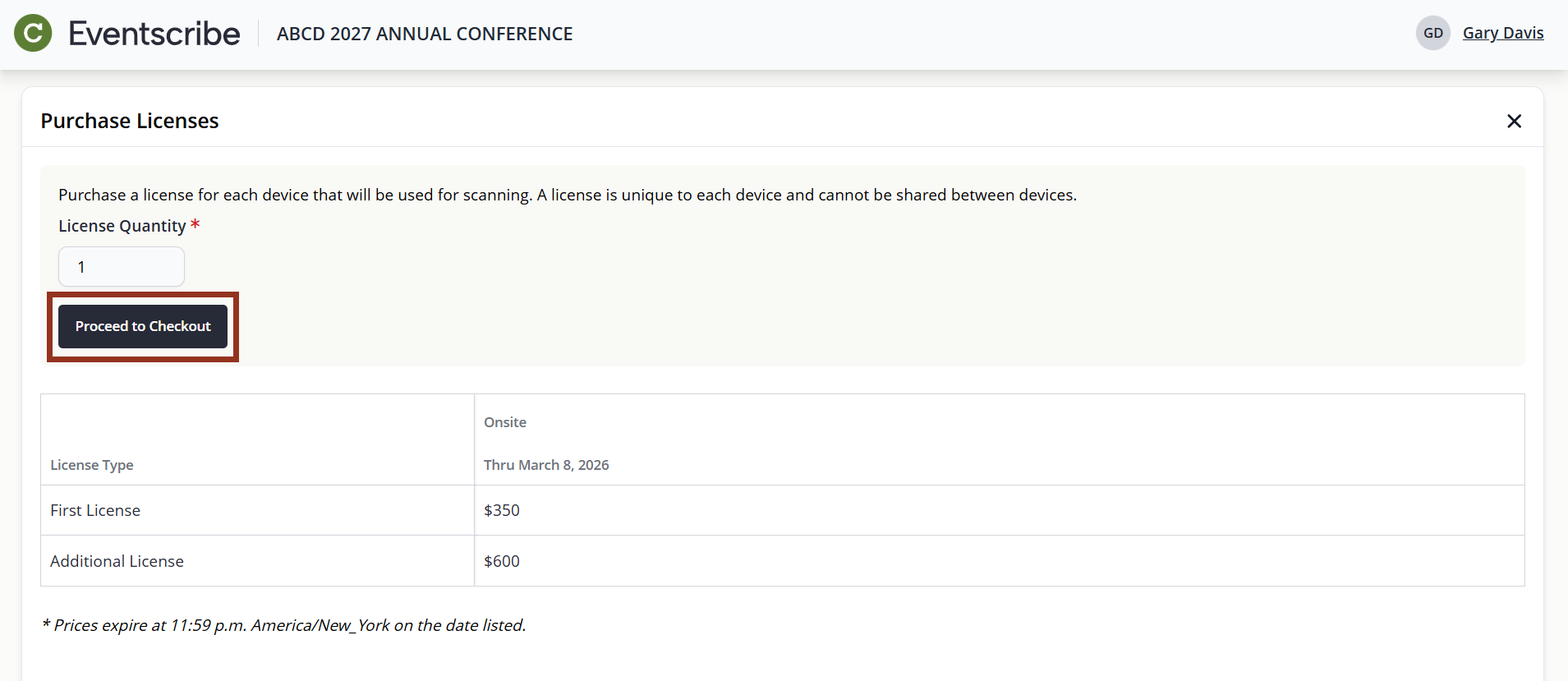
Fig. 2 - Proceed to Checkout Button.
- Complete the payment form with your billing information.
- Select the Submit button to complete your purchase (Fig. 3).
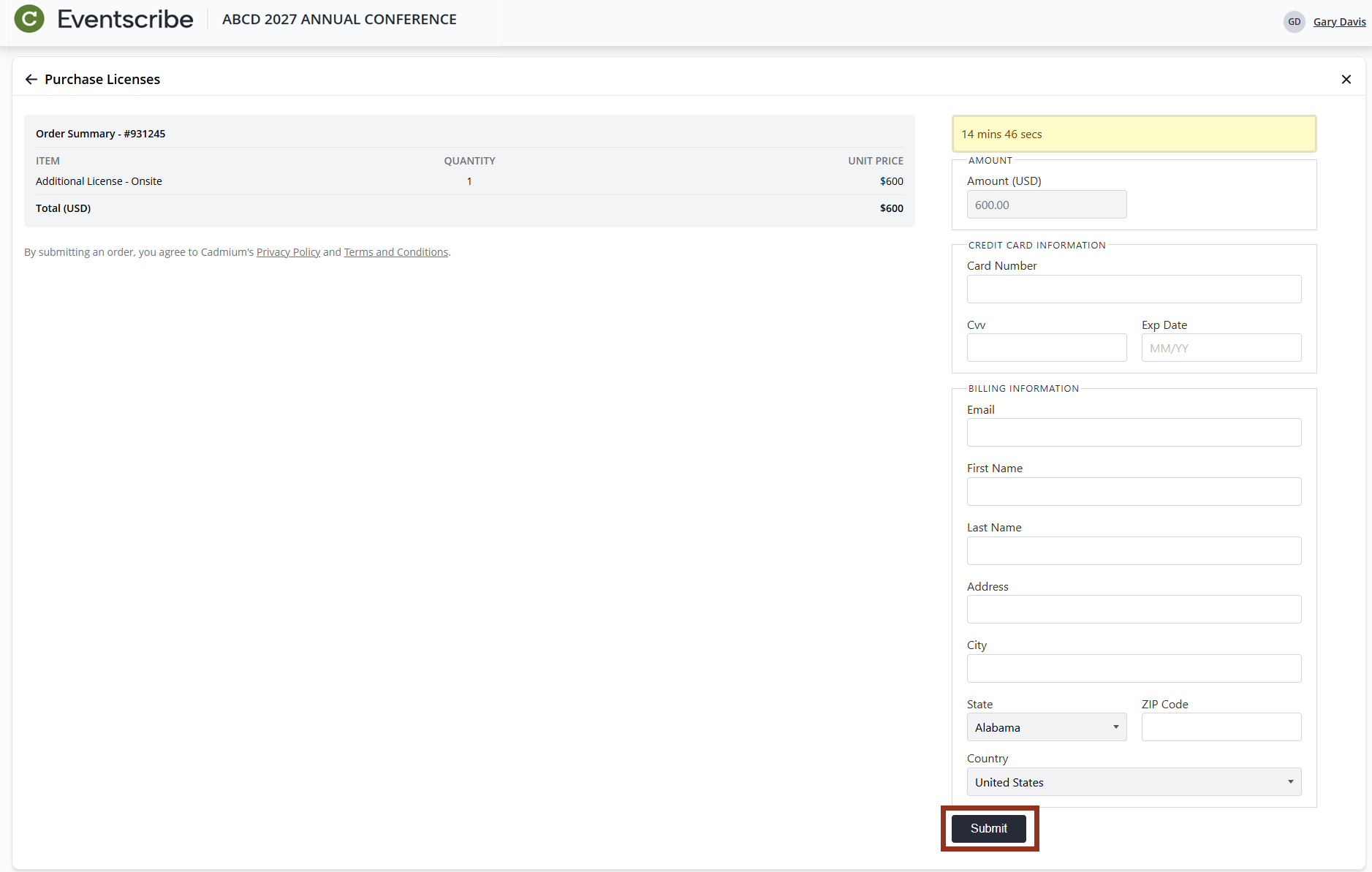
Fig. 3 - Billing Information with Submit Button.
- Upon completion:
- An order confirmation email will be sent. If you entered a different billing email, that address will also receive a copy.
- You can download a copy of your receipt from the Receipts page (Fig. 4) and view license details on the Licenses page (allow a few minutes for processing - refresh the page if needed).
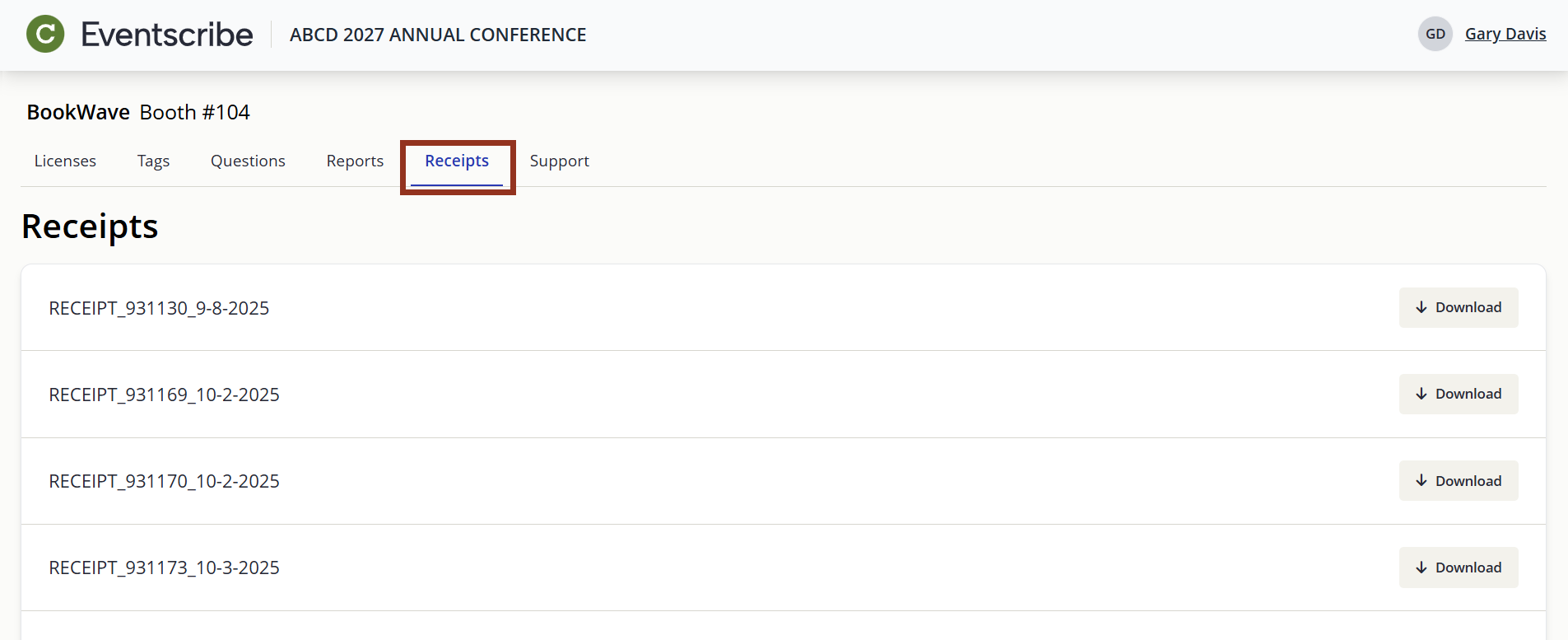
Fig. 4 - Receipts Page.
Last modified Apr 22, 2026
Was this article helpful?
That’s Great!
Thank you for your feedback
Sorry! We couldn't be helpful
Thank you for your feedback
Feedback sent
We appreciate your effort and will try to fix the article