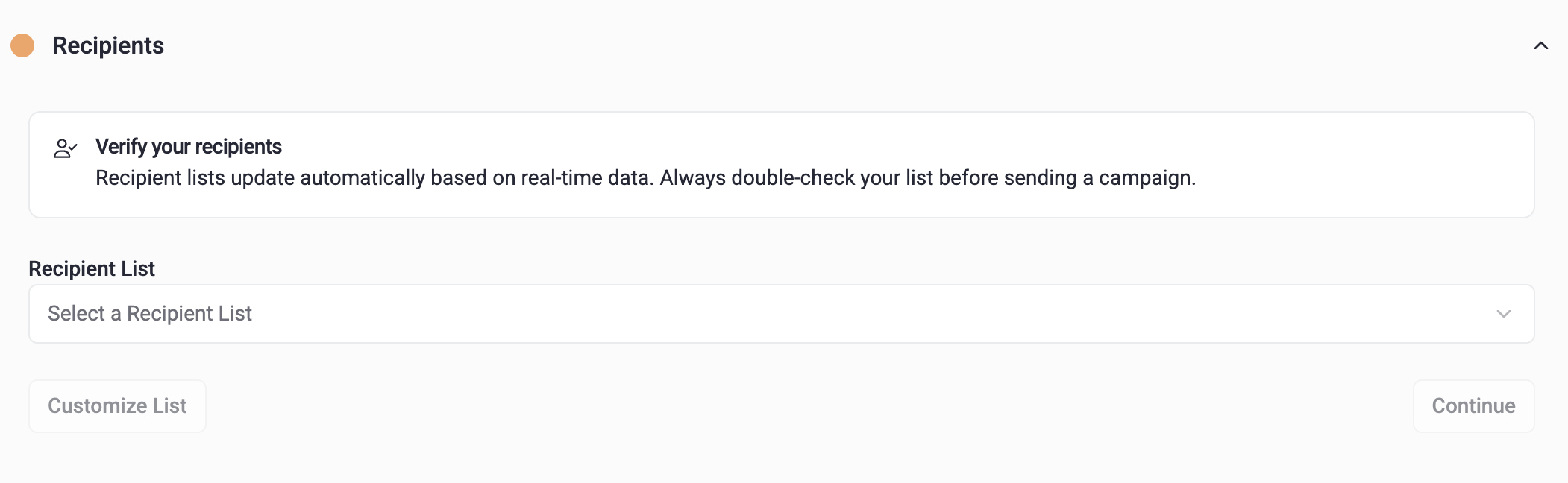
The Recipients step lets you choose who will receive the campaign (Fig. 1). Select from predefined lists associated with Lead Capture for your event.
Fig. 1 - The Recipients section
Recipient Lists
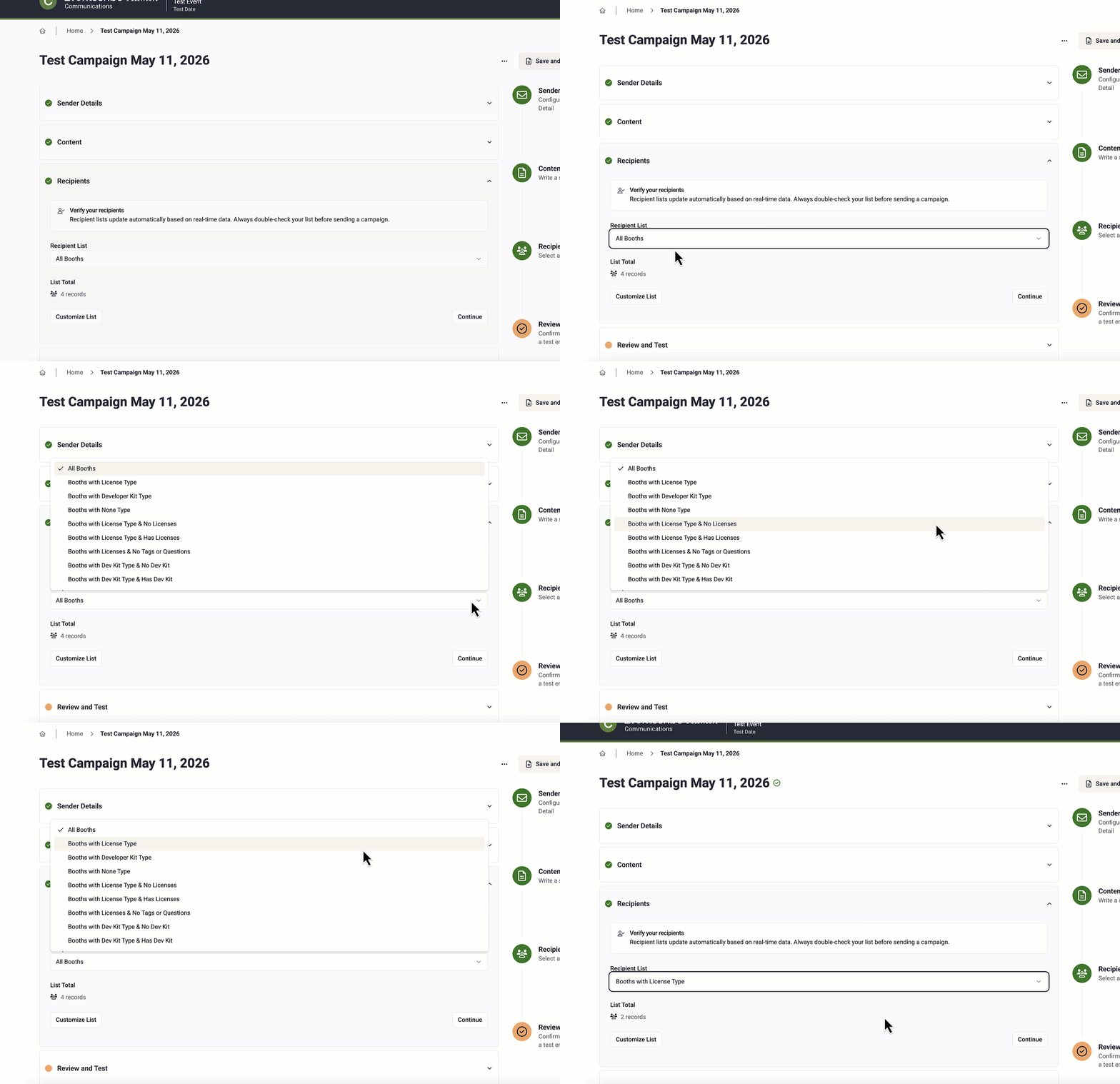
Send the campaign to a predefined list or a customized version of one. Select a list from the Recipient List dropdown. These lists are automatically populated by data in the Lead Capture Admin Portal.
Once you select a list, the List Total displays the number of records it contains. As a best practice, review this count against the corresponding data in the Lead Capture Admin Portal before sending.
The Customize List and Continue buttons remain disabled until you select a recipient list.
Customize List
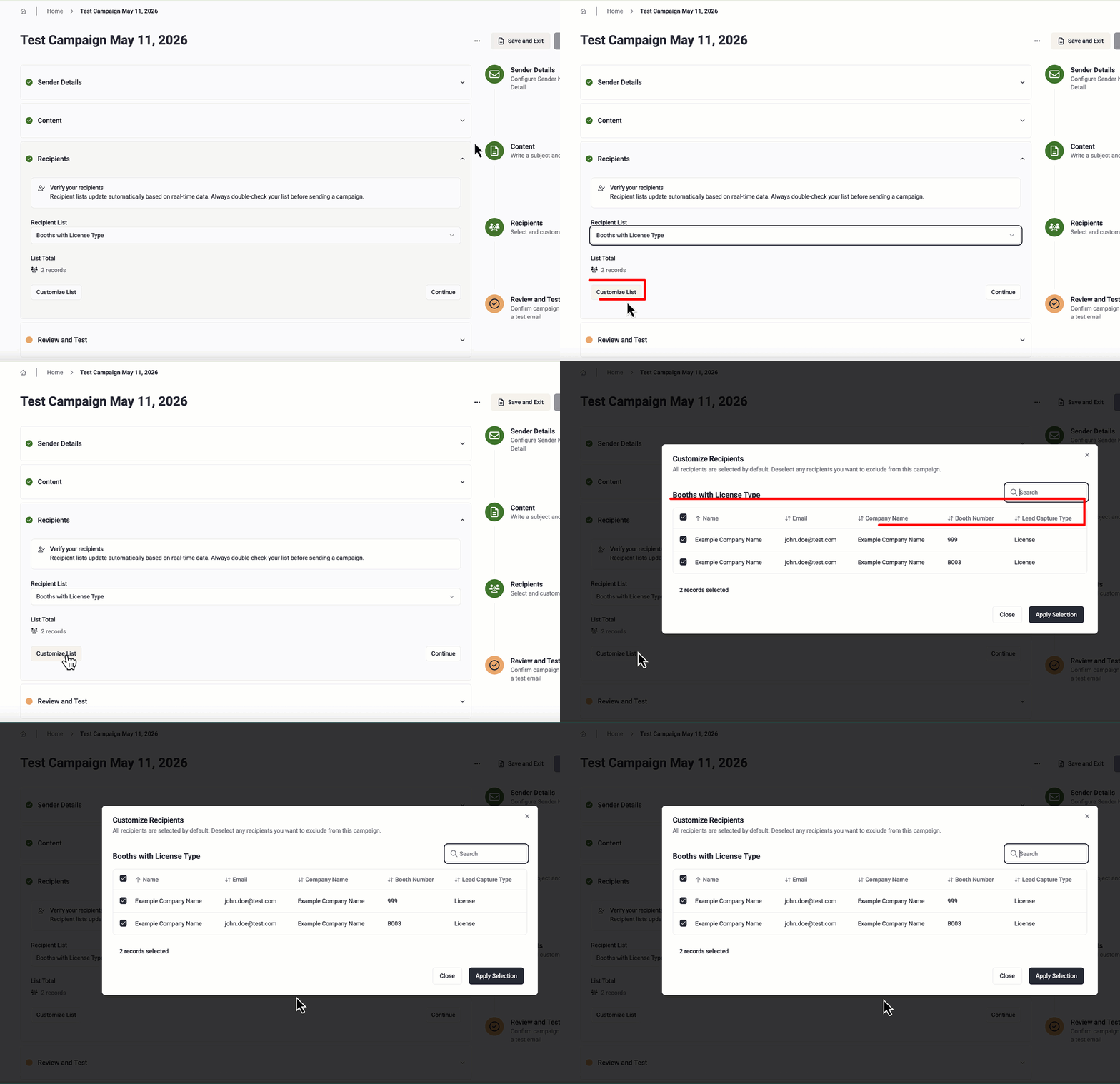
Select the Customize List button to open a pop-up where you can view, search, and sort the list. The pop-up displays everyone on the recipient list you selected. You can remove individuals from this list, but you cannot add anyone who is not already on it.
Use the checkboxes to choose which recipients to include in the campaign. The checkbox in the header lets you either select all recipients and then remove specific individuals, or deselect all and then select individuals one by one.
To sort, select any column header to reorder by that field. Sorting only changes the display order. It does not filter or remove contacts.
NOTE
If a booth admin is associated with more than one booth, they will appear in the list multiple times and will receive one email per booth.
Recipient List Descriptions
The following lists are available to select from the Recipient Lists dropdown. Many of the lists are based on a booth's Lead Capture type, so it helps to understand how that works first.
Every booth starts with a default type of License. The type determines what an exhibitor sees when they log in to the Lead Capture Exhibitor Portal. You can update a booth's type in the Lead Capture Admin Portal, or the exhibitor can change their type in the Lead Capture Exhibitor Portal. You may want to switch a booth's type prior to launching Lead Capture so you can do targeted messaging. For example, you may want to update a booth's type to Developer Kit if they've used it in the past or they've indicated that they're interested in using it.
Additionally, set a booth's type to None if you don't want to offer Lead Capture to the exhibitor. Booths with the None type can't log in to the Lead Capture Exhibitor Portal. Setting these booths to None lets you filter them out by unselecting them when customizing your recipient list.
All Booths
This list includes every booth, regardless of type or whether they've purchased or been assigned anything yet. Use it when you want to reach your entire exhibitor list. You can filter out booths with a type of None by customizing the list and unselecting them. It pairs well with the Email Template: Lead Capture is Available for Purchase.
Booths with License Type
This list includes every booth set to the License type, whether or not they've purchased or been assigned licenses yet. This list enables you to send targeted messaging to exhibitors likely to purchase licenses, excluding anyone who has indicated they want to use the Developer Kit. Pairs well with a more targeted version of the Email Template: Lead Capture is Available for Purchase.
Booths with Developer Kit Type
This list includes every booth set to the Developer Kit type, whether or not they've purchased or been assigned one yet. This list enables you to send targeted messaging to exhibitors who have indicated they want to use the Developer Kit. Pairs well with a more targeted version of the Email Template: Lead Capture is Available for Purchase.
Booths with None Type
This list includes every booth set to the None type, meaning they don't have access to the Lead Capture Exhibitor Portal. You'd typically set a booth to None when you don't want to offer Lead Capture — for example, when you're only offering it to booths above a certain size or sponsorship tier. There aren't many cases where you'd email this list, but it's here if you need it.
Booths without Licenses
This list includes booths set to the License type that have not purchased or been assigned any licenses yet. Booths that only have revoked licenses are included in the list. You can filter out booths with a revoked status by customizing the list and unselecting them. It's a great list for nudging exhibitors who haven't bought anything yet to drive sales.
Booths with Licenses
This list includes booths set to the License type that have purchased or been assigned at least one license. Booths that only have revoked licenses are not included in the list. It's ideal for emails you'd only want to send after licenses have been provisioned, like a Know Before You Go or a post-event thank-you. Pairs well with the Email Template: Lead Capture Know Before You Go and the Email Template: Download Your Lead and Scan Data.
Booths with Licenses & No Tags or Questions
This list includes booths set to the License type that have at least one license purchased or assigned but have not added any tags or questions. A booth with tags but no questions — or questions but no tags — won't appear here; this list includes booths missing both. Booths that only have revoked licenses are not included in the list. Pairs well with the Email Template: Add Lead Capture Tags & Questions.
Booths without Developer Kit
This list includes booths set to the Developer Kit type that have not purchased or been assigned a Developer Kit yet. Booths with a disabled API key are not included in the list; the key is disabled, but the booth still has a Developer Kit provisioned. Use it to follow up with exhibitors that have indicated they prefer to use the Developer Kit but haven't bought anything yet.
Booths with Developer Kit
This list includes booths set to the Developer Kit type that have purchased or been assigned a Developer Kit. Booths with a disabled API key are included in the list; the key is disabled, but the booth still has a Developer Kit. You can filter out booths with a disabled API key by customizing the list and unselecting them. It's ideal for emails you'd only want to send after a Developer Kit has been provisioned, like a Know Before You Go or a post-event thank-you. Pairs well with the Email Template: Developer Kit Know Before You Go.
Once you have selected your recipient group, click Continue to proceed to Step 4 — Review and Test.