The Sender Details step is the first step in the campaign editor. It sets who the email will appear to come from in the recipient's inbox (Fig 1).
Fields
- Sender Name — Enter the display name recipients will see in their inbox. This is typically your event or organization name (for example: Annual Tech Symposium Team).
- Sender Email — Choose an address from the dropdown. These are verified sending addresses configured for your event. Only addresses verified in Settings > Sender Emails will appear here.
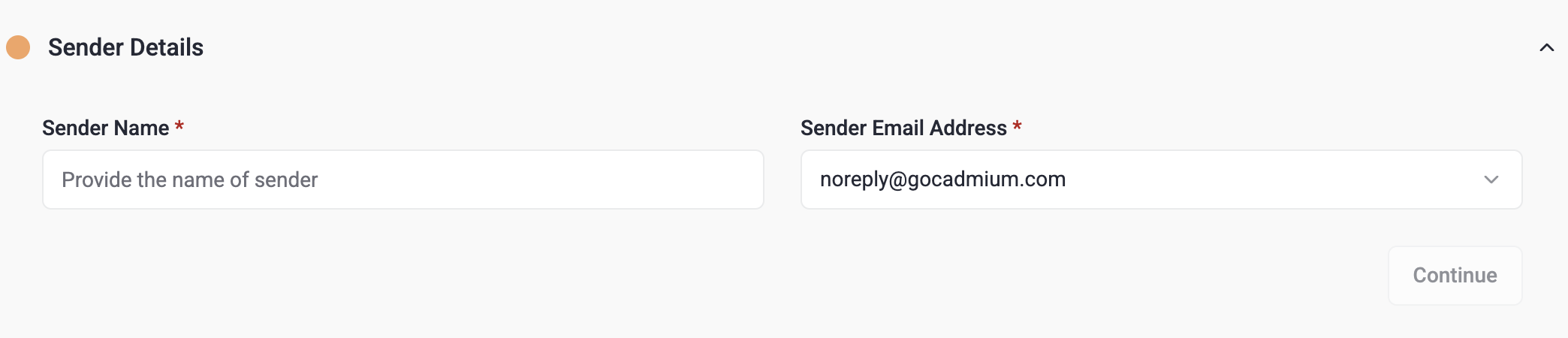
Fig. 1 - Sender Details
Completing this step
Once both fields are filled in, click Continue to move to Step 2 — Content.
Last modified Aug 17, 2026
Was this article helpful?
That’s Great!
Thank you for your feedback
Sorry! We couldn't be helpful
Thank you for your feedback
Feedback sent
We appreciate your effort and will try to fix the article