Within a Quiz or Evaluation, if you have several questions that are the same Question Type, you will save yourself time by duplicating the first question for each question you need with the same style. For example, if there are ten Likert style questions all with the same Likert scale, create one Likert question. Then, duplicate the question, and make adjustments to the duplicate.
For example, below is an example of five questions you may need to ask within an Overall Event Evaluation all using the same Likert scale:
- Networking (1 Least Important - 5 Most Important)
- Location (1 Least Important - 5 Most Important)
- Content (1 Least Important - 5 Most Important)
- Price (1 Least Important - 5 Most Important)
- Find Solutions (1 Least Important - 5 Most Important)
To duplicate questions, start by selecting the Assessments icon from the top of the page in the Survey Magnet administrative dashboard to open the Assessments page (Fig. 1).
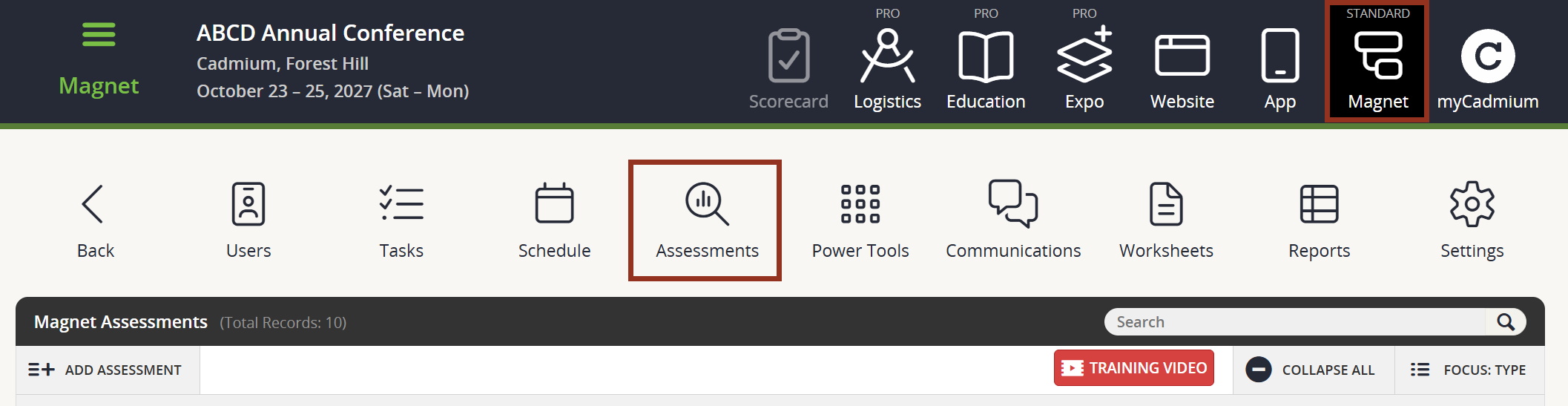
Fig. 1 - Assessments Page.
To create these five questions, start by adding a Likert style question for Networking.
To Duplicate the question, select on the row for the question. Then, select the Duplicate button (Fig. 2).
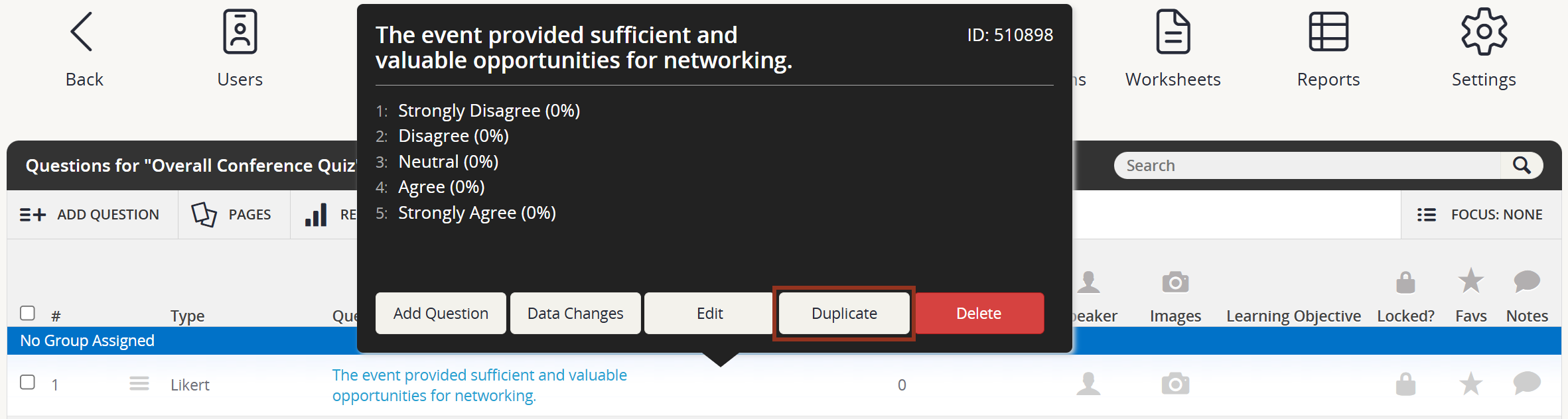
Fig. 2 - Question Row Pop-up Duplicate Button.
The duplicate question will appear right below the question you just duplicated with the word DUPLICATE following the question title (Fig. 3).

Fig. 3 - Duplicated Question.
Select the row for the question that was just added and select the Edit button (Fig. 4).
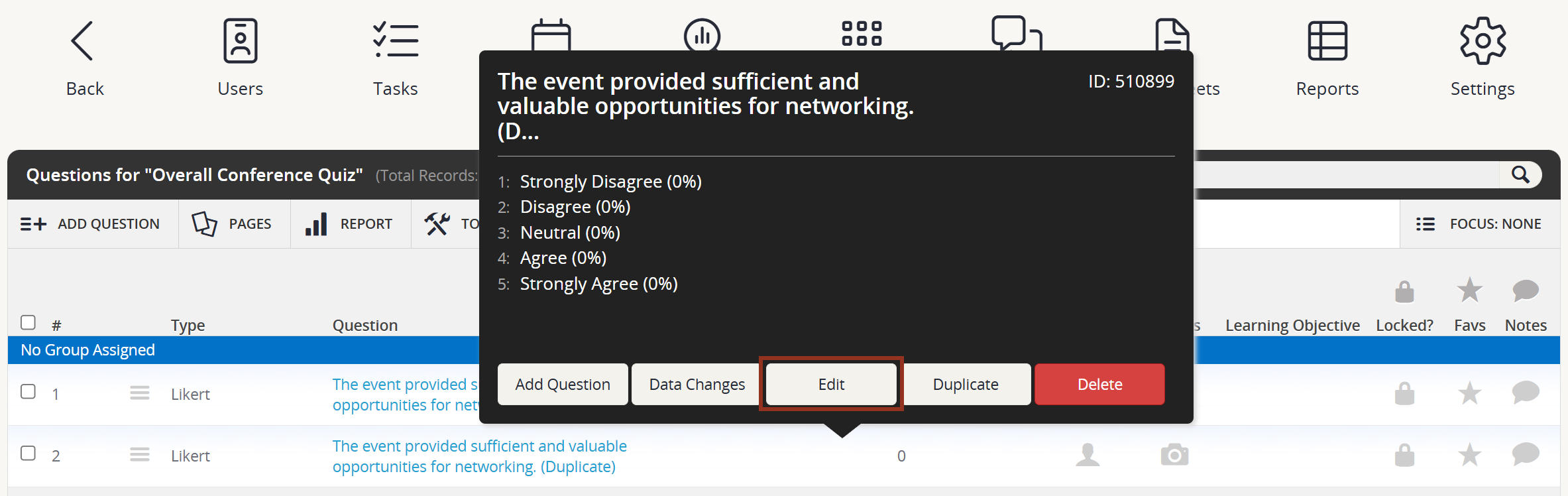
Fig. 4 - Duplicate Question Row Pop-up Edit Button.
Make any necessary updates within the Question Editor. If desired, you can also decide if the question is skippable or not using the dropdown. Then, select the SAVE CHANGES button (Fig. 5).
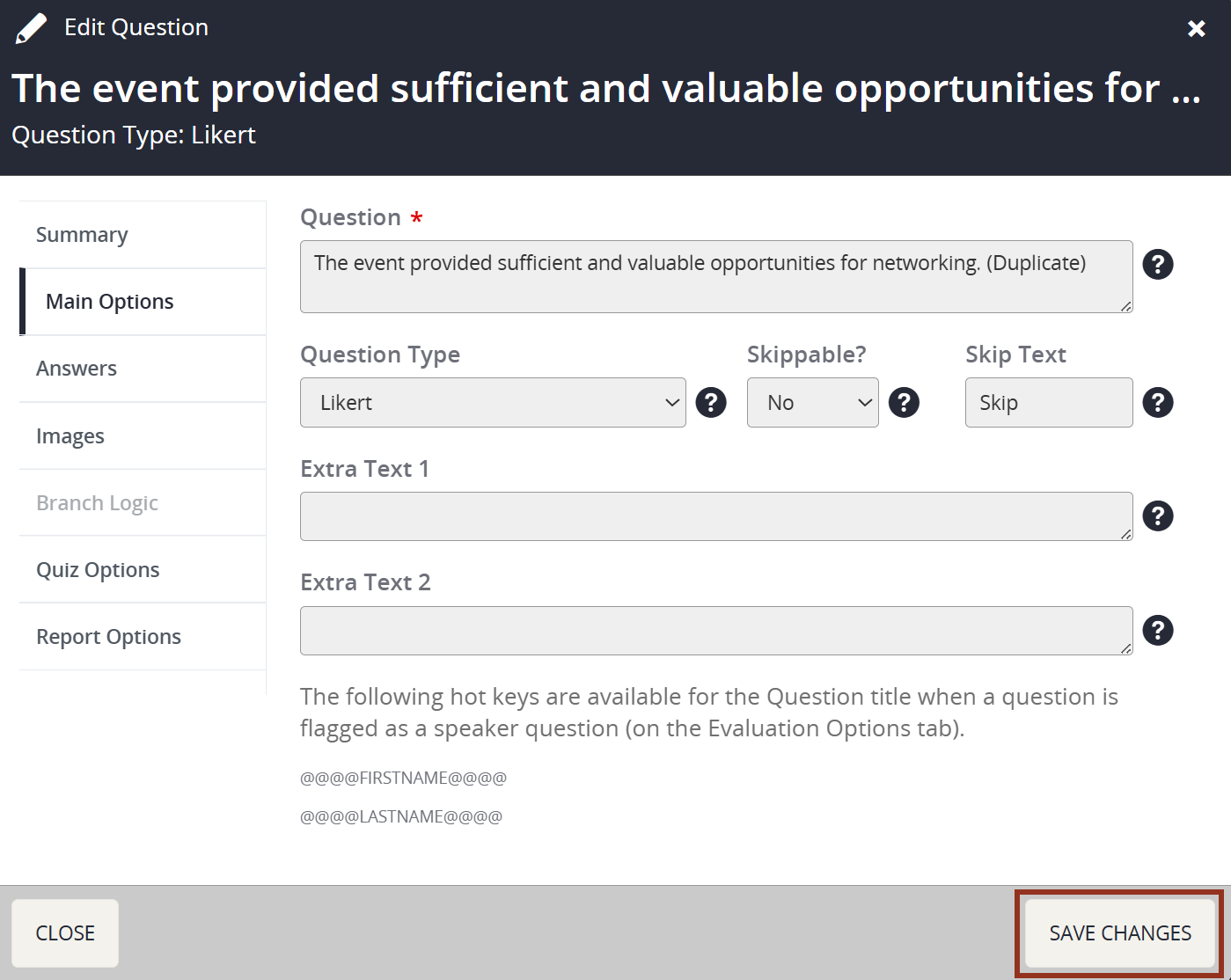
Fig. 4 - Question Editor.
Repeat steps for each question that has the same Question Type and the same Likert scale.
If you have questions about Duplicating Questions, please contact your Project Manager via Boomerang.
Was this article helpful?
That’s Great!
Thank you for your feedback
Sorry! We couldn't be helpful
Thank you for your feedback
Feedback sent
We appreciate your effort and will try to fix the article