- Once a Registration Merchant Admin has been set, that message will disappear.
- You can identify who the Registration Merchant Admin is by going to the Maintain Users page under the Admin header on the home page.
NOTE
This is a cloned article. The original article can be found in the Merchant Settings (Classic Method - Firm Merchant Settings) folder
Merchant User Permissions within Registration
There are four user permissions related to merchant settings:
- Registration Merchant Admin - Can change other user's access to Registration merchant settings - allows the user to update other user's settings on the Maintain Users page
- Can edit merchant accounts (Within Firm Merchant Settings only)- allows the user to create/edit merchant accounts on the Firm Merchant Settings (classic payment method) page.
- Can set the merchant account for a meeting - allows the user to set/update the merchant assigned to a meeting on the Payments - Meeting Settings page
- Can go live and clear data in a meeting - allows the user to switch from test mode to live mode and clear test records on the Payments - Meeting Settings page
If someone does not have these settings enabled for their account, they will not have access to see or update the items on the pages outlined above.
Registration Merchant Admins
Only the Registration Merchant Admin for your firm is able to see/enable the settings described above.
If no Registration Merchant Admin has been set for your firm, a message indicating that fact will display in red at the top of the home page. You must contact Cadmium to set the Registration Merchant Admin for your firm. (Fig. 1)

Fig. 1 - No merchant admin indicator message
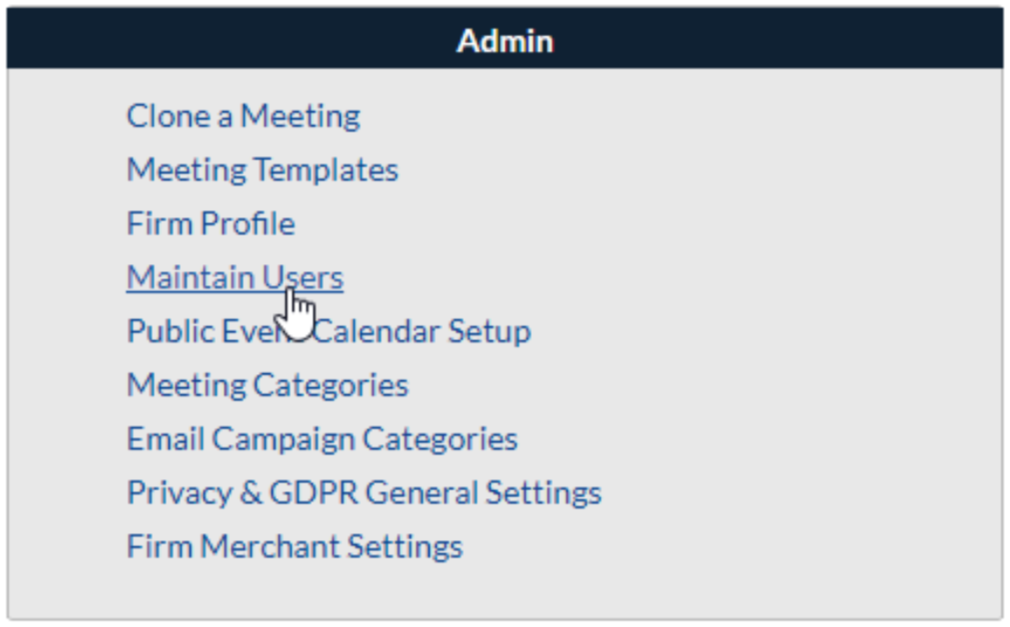
Registration Merchant Admins will have a checkmark next to their name, in the Merchant Admin column. (Fig. 2)

Fig. 2 - Merchant Admins List
Please note that a Merchant Admin Email Address also needs to be set within Cadmium Payments in order for merchant accounts to be created within Cadmium Payments. Learn more here.
Updating User Permissions
- If you are the Registration Merchant Admin, you can go to the Maintain Users page to enable the settings above for other users in your firm. Select Maintain Users under the Admin header on the home page.
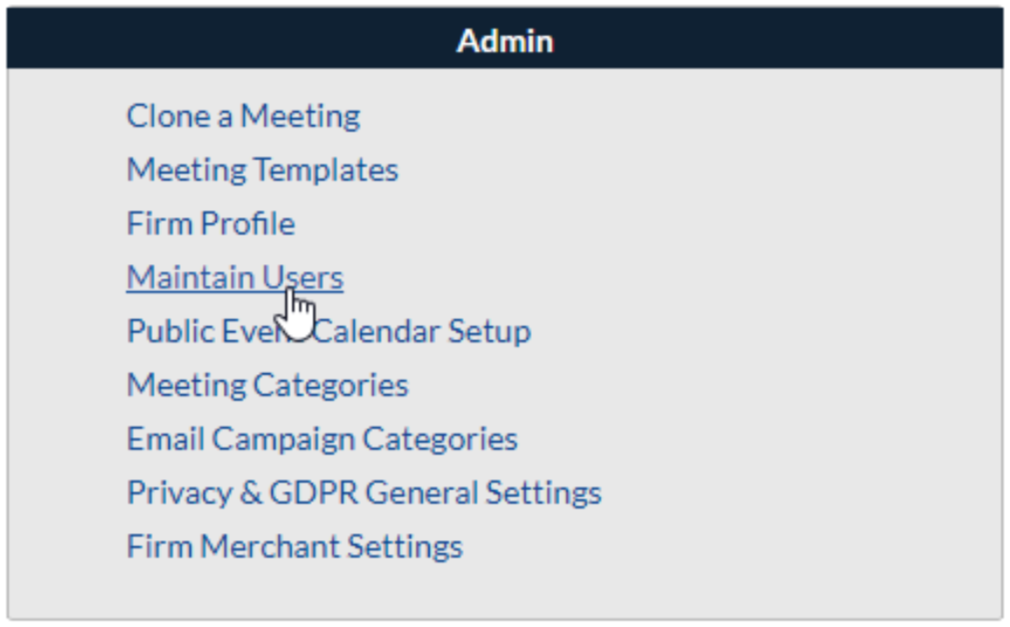
- Select the name of the user you would like to update. Depending on the type of account, the page will either refresh and display their permissions at the bottom or open a pop-up with their permissions.
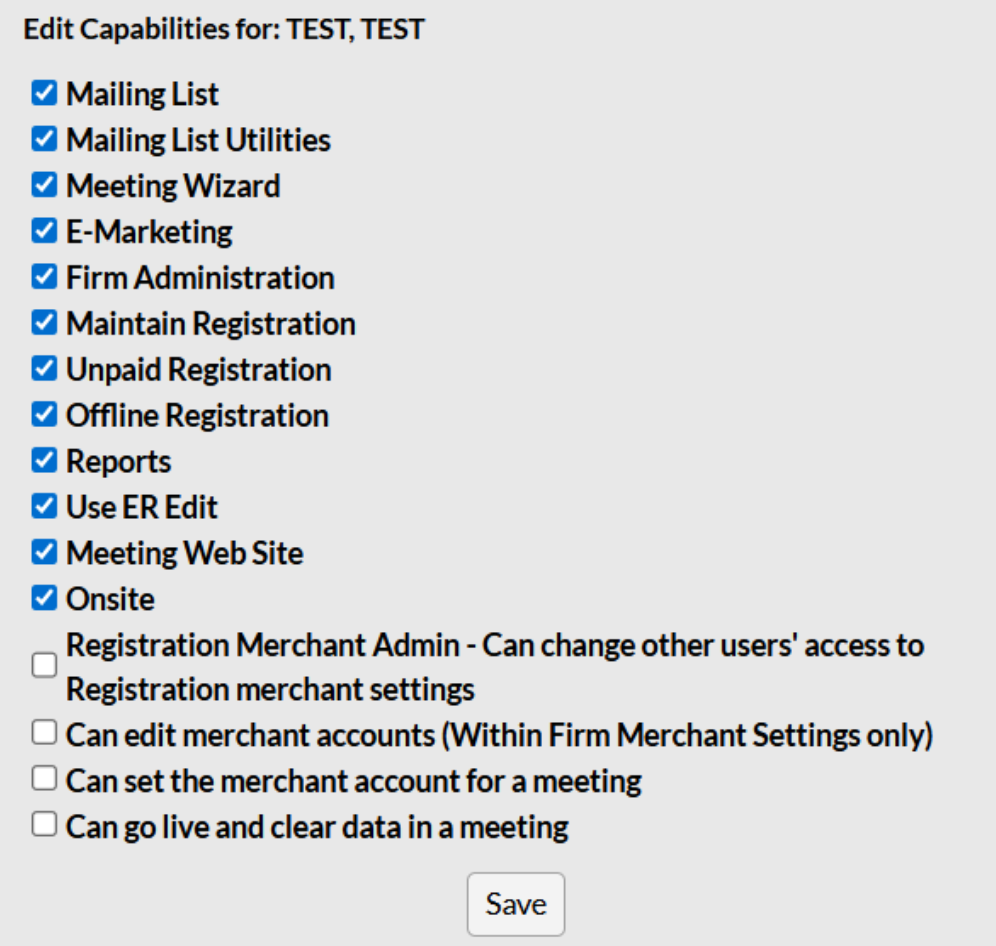
Check off the settings you would like that user to have, and then click Save.
Go back to the main Merchant Settings page.
Last modified Dec 22, 2025
Was this article helpful?
That’s Great!
Thank you for your feedback
Sorry! We couldn't be helpful
Thank you for your feedback
Feedback sent
We appreciate your effort and will try to fix the article