If configured by the event organizer, booth admins can purchase a Developer Kit in the Lead Capture Exhibitor Portal.
Switch Lead Capture Type
By default, the Lead Capture Exhibitor Portal is configured for exhibitors using the Lead Capture Mobile App. Exhibitors wishing to use the Developer Kit can switch their own type in the Lead Capture Exhibitor Portal before any items are purchased or assigned.
To update your type, select the 'Switch to Developer Kit' button (Fig. 1).
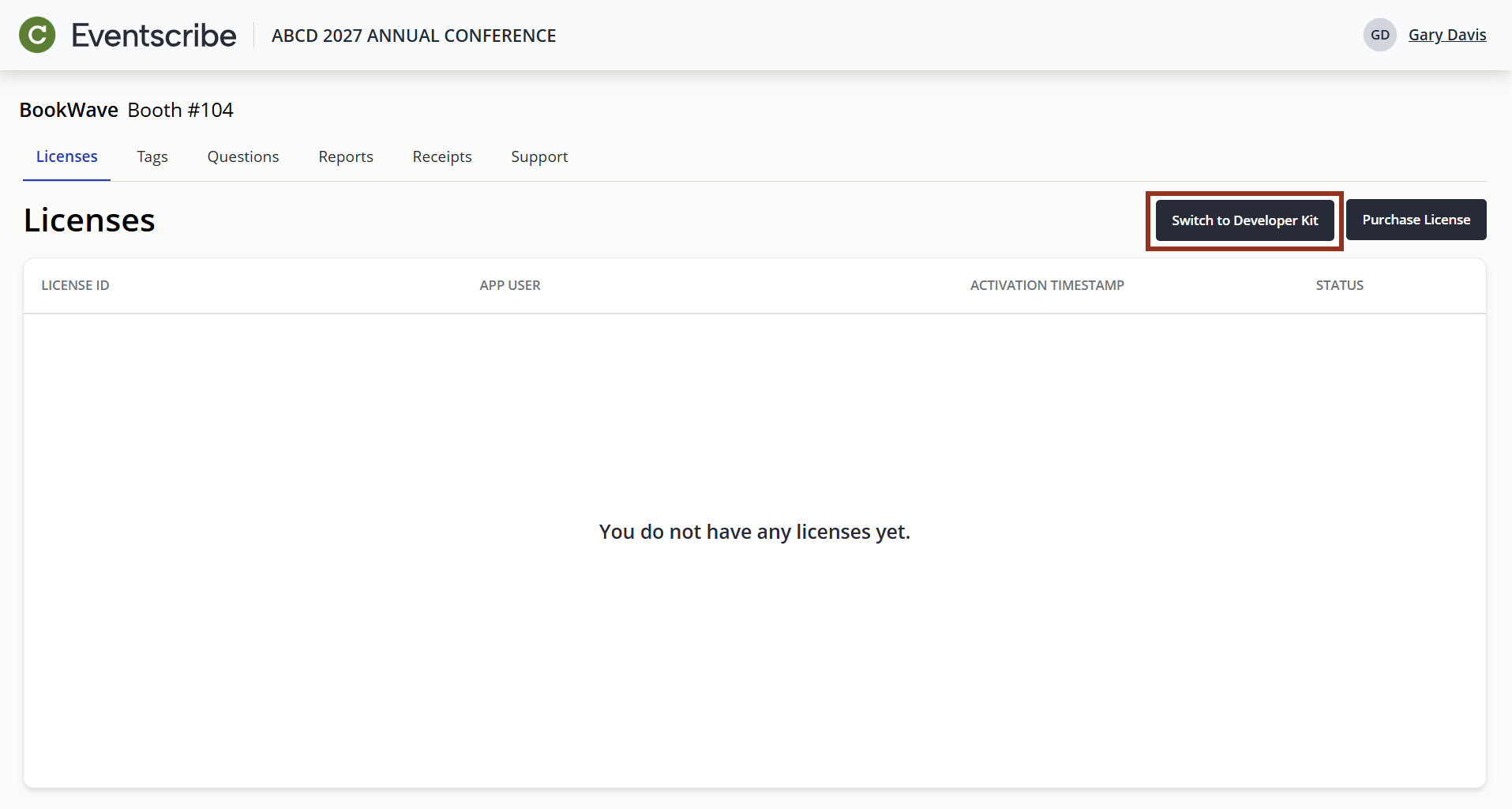
Fig. 1 - 'Switch to Developer Kit' Button.
IMPORTANT NOTE
If you already have provisioned licenses on your account, you'll need to contact the event organizer to switch your Lead Capture type.
Purchase Developer Kit
Once your type has been updated to 'Developer Kit', follow the steps below to purchase a Developer Kit:
- Select the Purchase Developer Kit button.
- Review the Developer Kit pricing grid.
- Enter the name of your third-party developer in the Recipient Name field.
- Click Proceed to Checkout to review your order summary.
- Complete the payment form with your billing information.
- Select the Submit button to complete your purchase.
- Upon completion:
- You'll be redirected to the Developer Kit page where you can copy your booth's API Key, API documentation, and test account information to send to your developer
- An order confirmation email will be sent. If you entered a different billing email, that address will also receive a copy.
- You can download a copy of your receipt from the Receipts page and view API details on the Developer Kit page (allow a few minutes for processing - refresh the page if needed).
Was this article helpful?
That’s Great!
Thank you for your feedback
Sorry! We couldn't be helpful
Thank you for your feedback
Feedback sent
We appreciate your effort and will try to fix the article