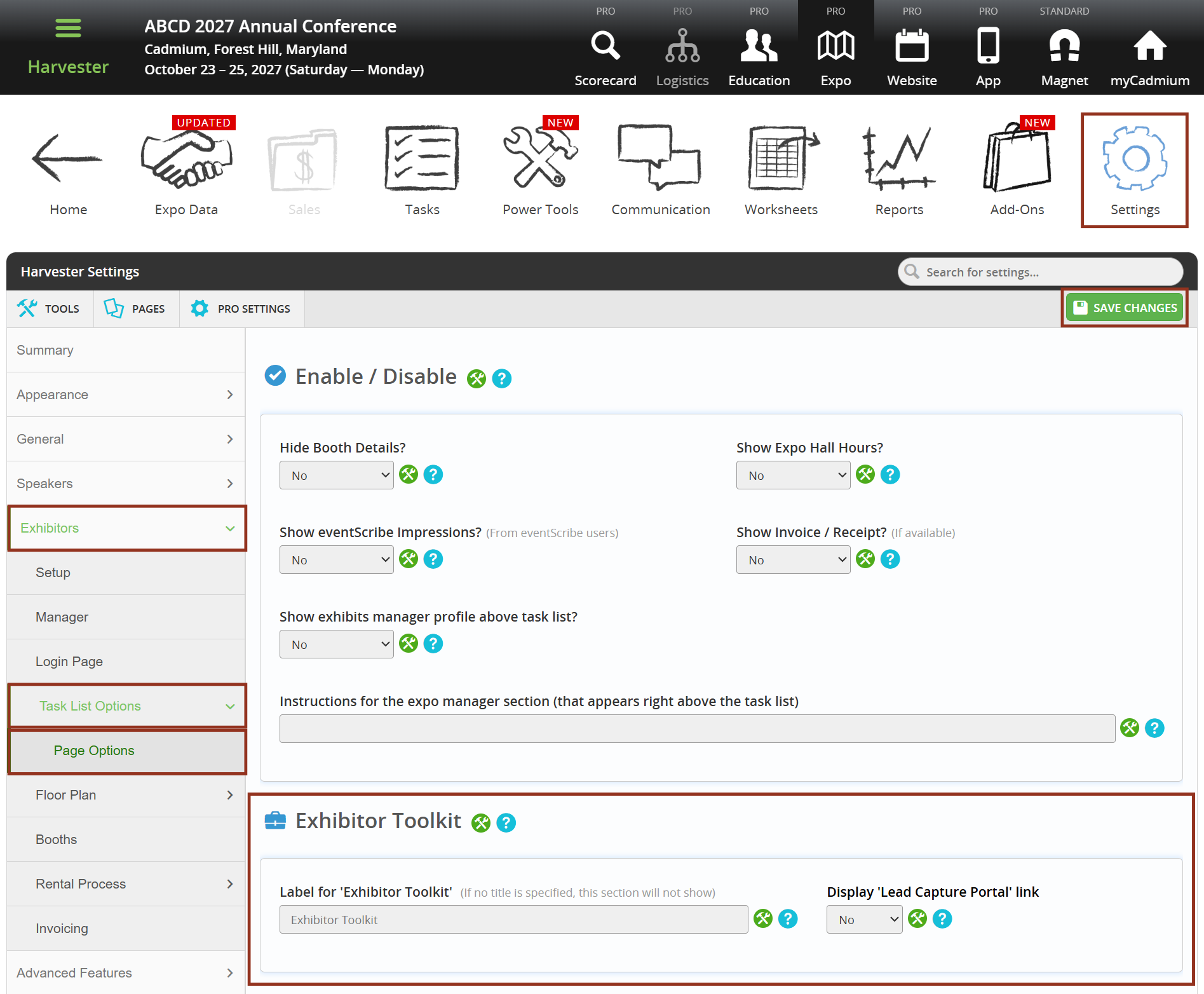
- In Expo Harvester, navigate to the Settings menu.
- Expand the Exhibitors menu.
- Expand the Task List Options menu.
- Select Page Options and navigate to the Exhibitor Resources section.
- Change the Display Lead Capture Portal Link setting to Yes.
For events using Expo Harvester for exhibitor management in combination with Lead Capture, the event organizer can include the booth's unique link to log in to Lead Capture Exhibitor Portal on the exhibitor task list page.
Add a Link Under Exhibitor Resources
Include the booth's unique link to the Lead Capture Exhibitor Portal under the Exhibitor Resources section of their task list page. Note: This will display to all exhibitors.
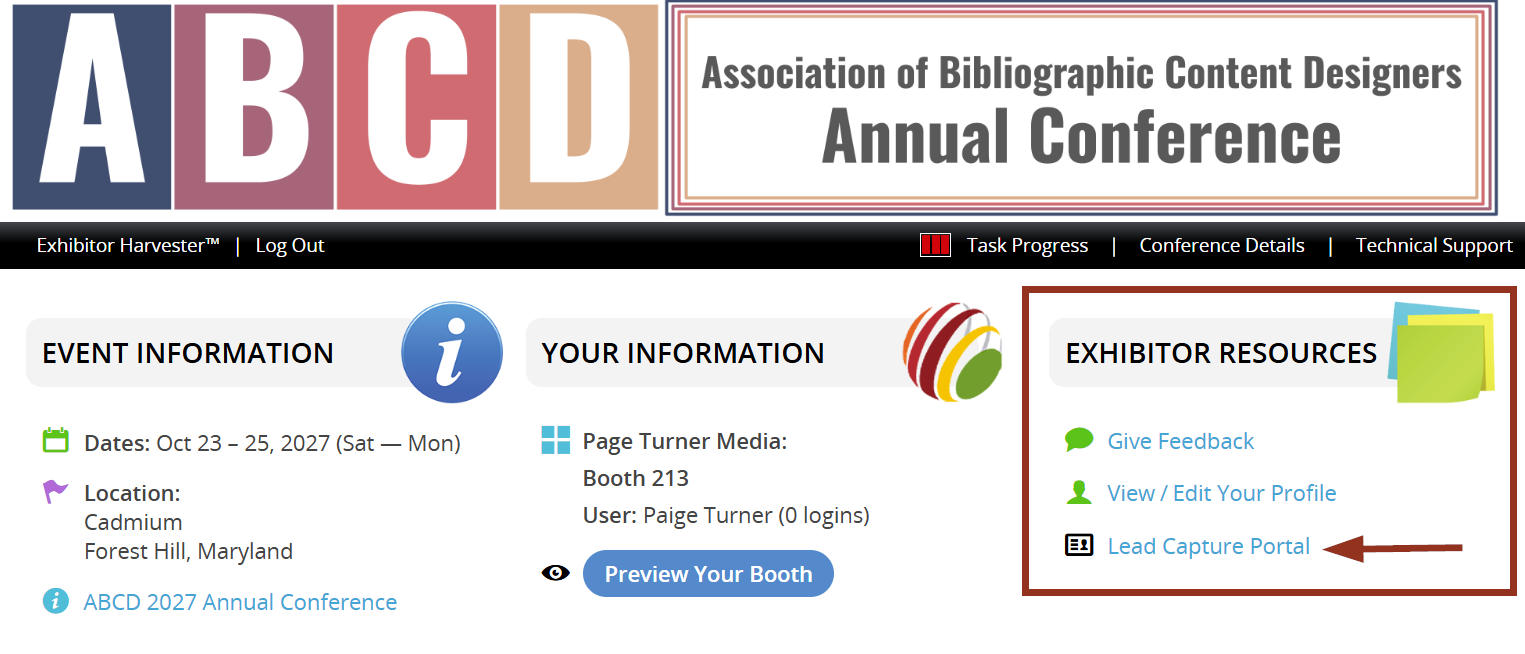
The booth's unique link to log in to the Lead Capture Exhibitor Portal will display under the Exhibitor Resources section at the top right of the page.
Add a Task
Include the booth's unique link to the Lead Capture Exhibitor Portal as a task. This is a great option if you only want to enable Lead Capture for specific exhibitors.
- In Expo Harvester, navigate to the Tasks page.
- Select Add New Task(s) (Fig. 3).
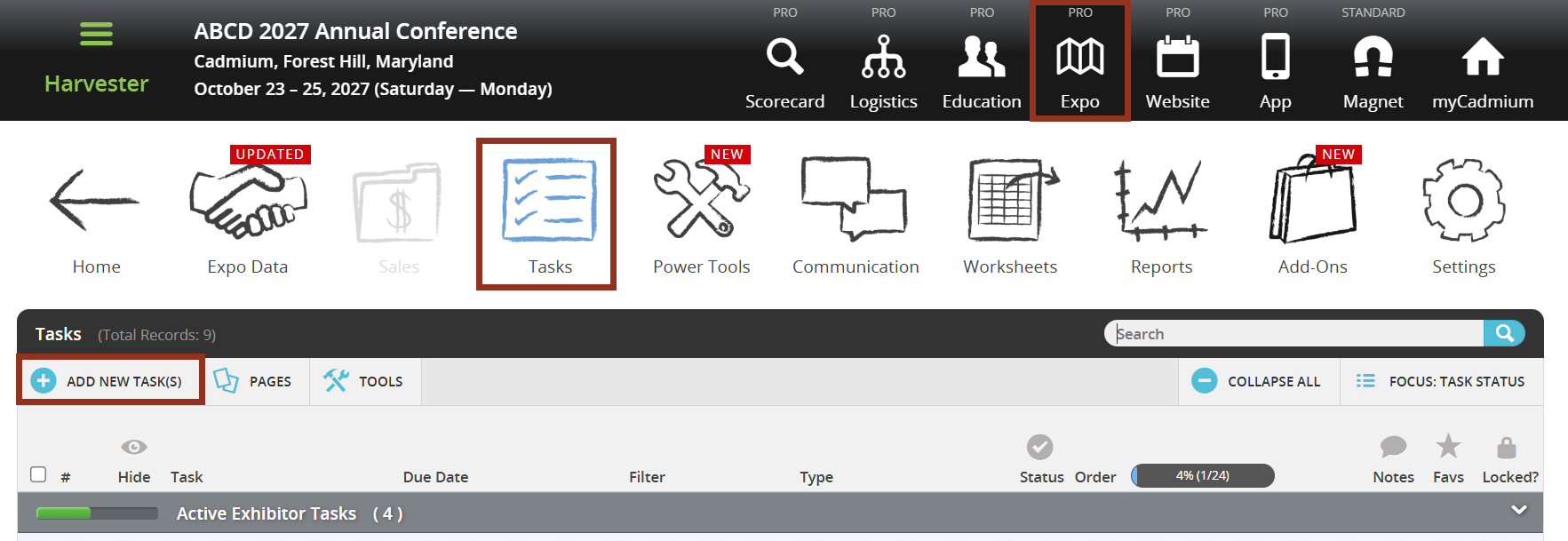
Fig. 3 - Expo Harvester Tasks Page Add New Task Button.
- In the 'Add new task(s)' pop-up choose Exhibitor – Download as the task type. Then select the 'Continue' button (Fig. 4).
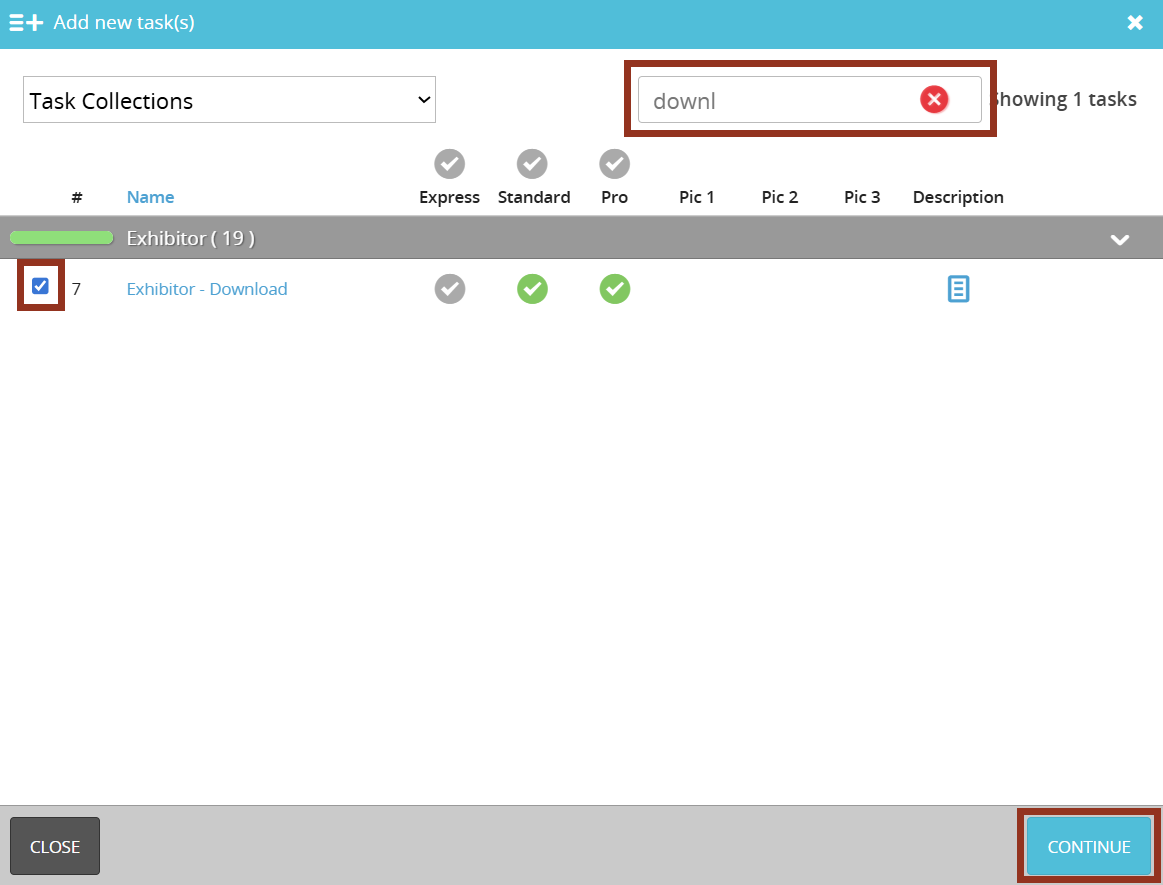
Fig. 4 - Add new tasks pop-up.
- From the Download Type dropdown, select Lead Capture.
The Task Title, Main Instructions, and Download Link (button) Text fields will automatically populate with Lead Capture–specific default text. All fields can be edited before saving. The Download Link button will automatically include the booth's unique URL to the Lead Capture Exhibitor Portal. By default, the task is set to complete when the "download is initiated", meaning when the button is selected (Fig. 5).
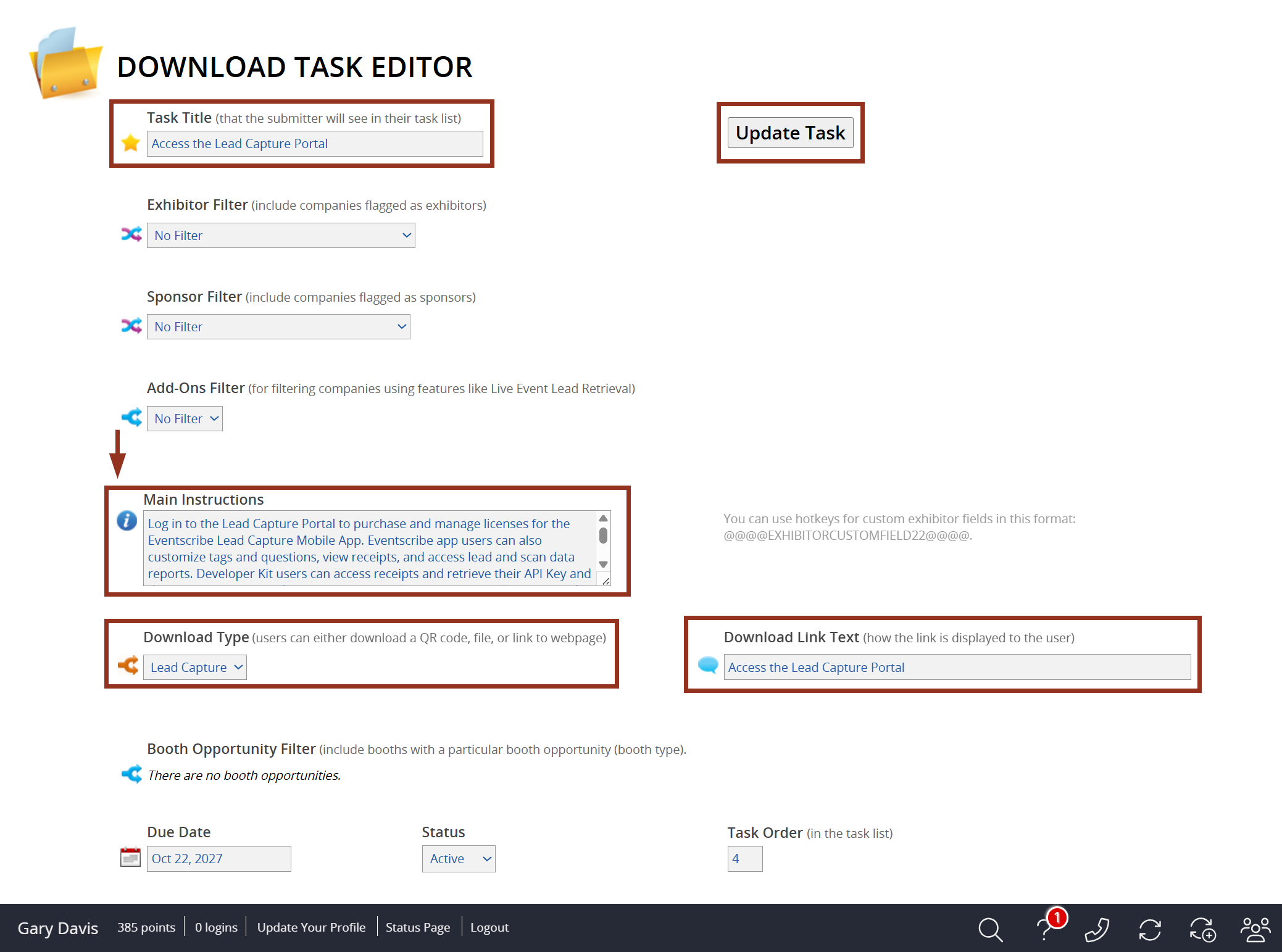
Fig. 5 - Download Task Editor.
IMPORTANT NOTE
Only the email address associated with the booth admin in Expo Harvester has permission to log in to the Lead Capture Exhibitor Portal. For more information about the login process, refer to this article.
Last modified Apr 22, 2026
Was this article helpful?
That’s Great!
Thank you for your feedback
Sorry! We couldn't be helpful
Thank you for your feedback
Feedback sent
We appreciate your effort and will try to fix the article