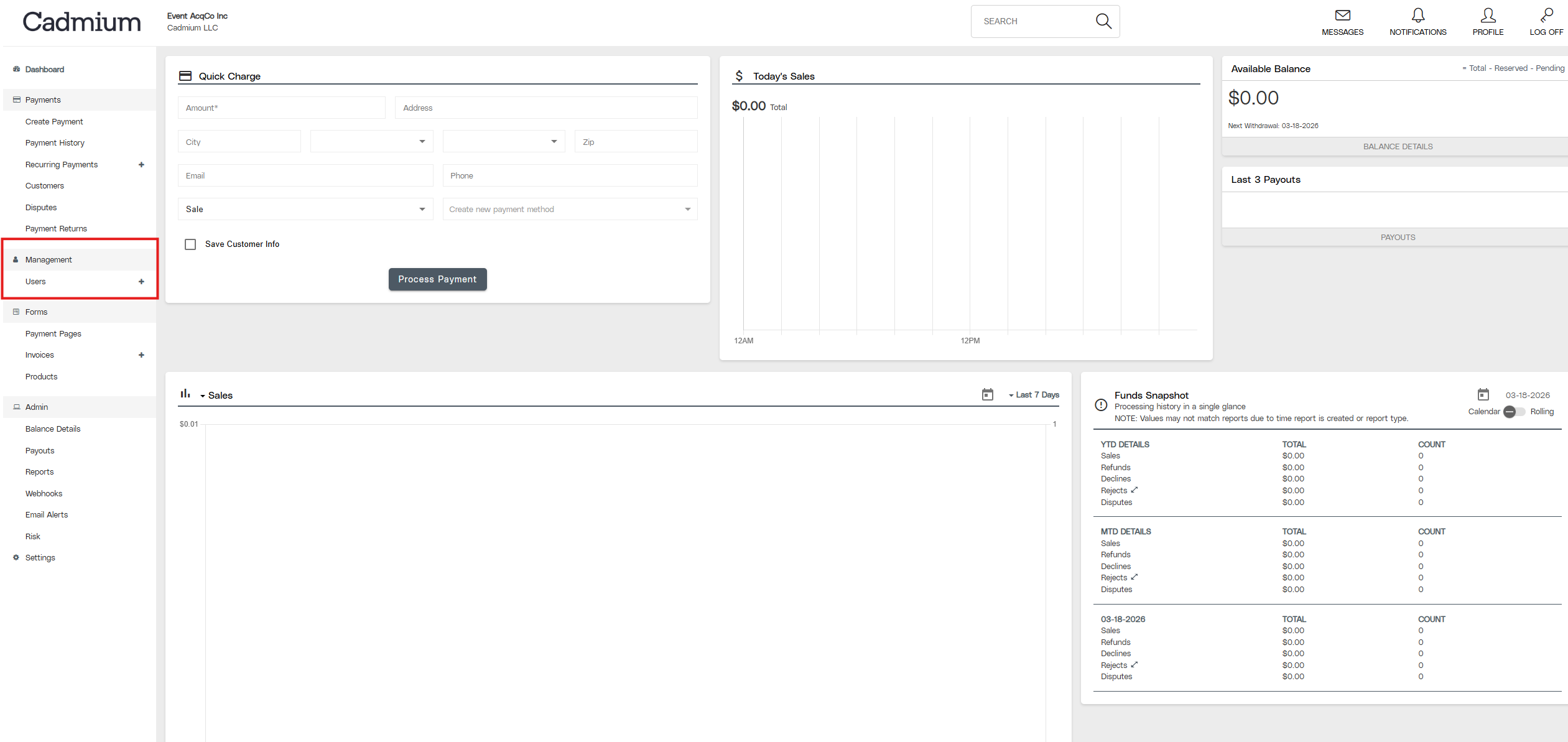
- From the menu on the left side, find and select Users.
Anyone who needs access to your merchant account information in Cadmium Pay must have their own user account. The following steps can be followed within Cadmium Pay to add an additional user:
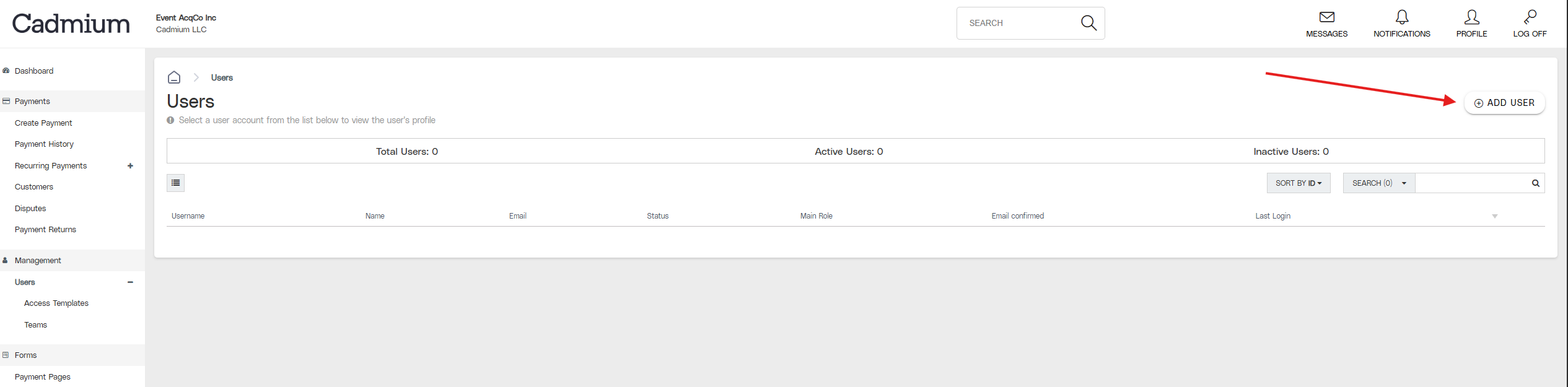
- In the upper right corner of the Users screen, click Add User.
- Complete the form. All items with an asterisk are required. When the form is complete, click the Add User button.
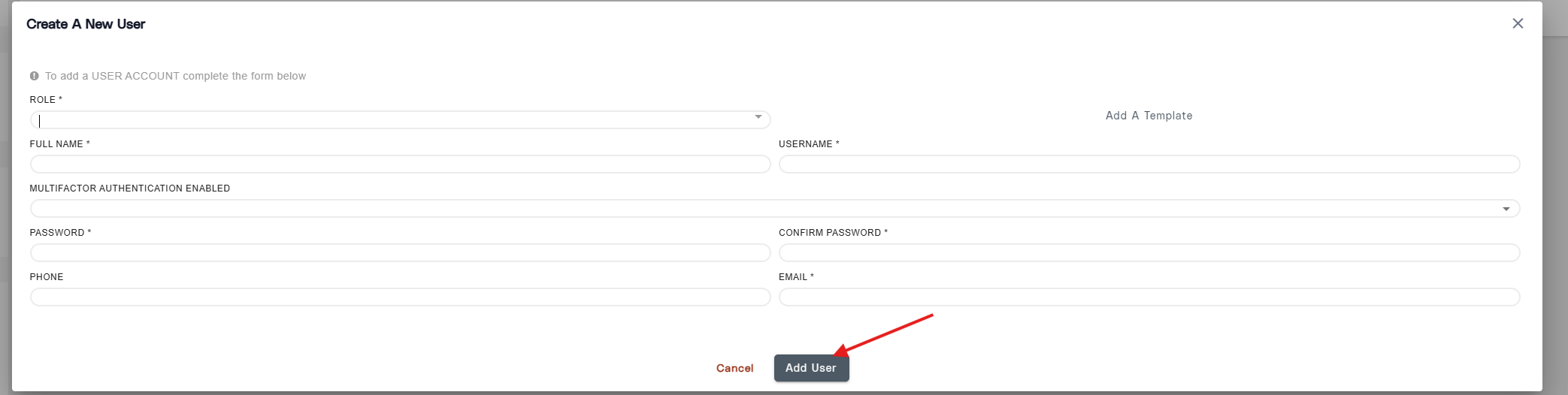
- In the Role field, choose Merchant Full Access or Merchant View only, based on the permissions you’d like for the new user to have. To run reports and view transactions, Merchant View Only is usually sufficient.
- In the Multifactor Authentication Enabled field, select Yes.
Last modified Mar 20, 2026
Was this article helpful?
That’s Great!
Thank you for your feedback
Sorry! We couldn't be helpful
Thank you for your feedback
Feedback sent
We appreciate your effort and will try to fix the article