On the Developer Kit page in the Lead Capture Exhibitor Portal, you can access your booth's unique API Key, view API documentation, and share details with your third-party developer (Fig. 1).
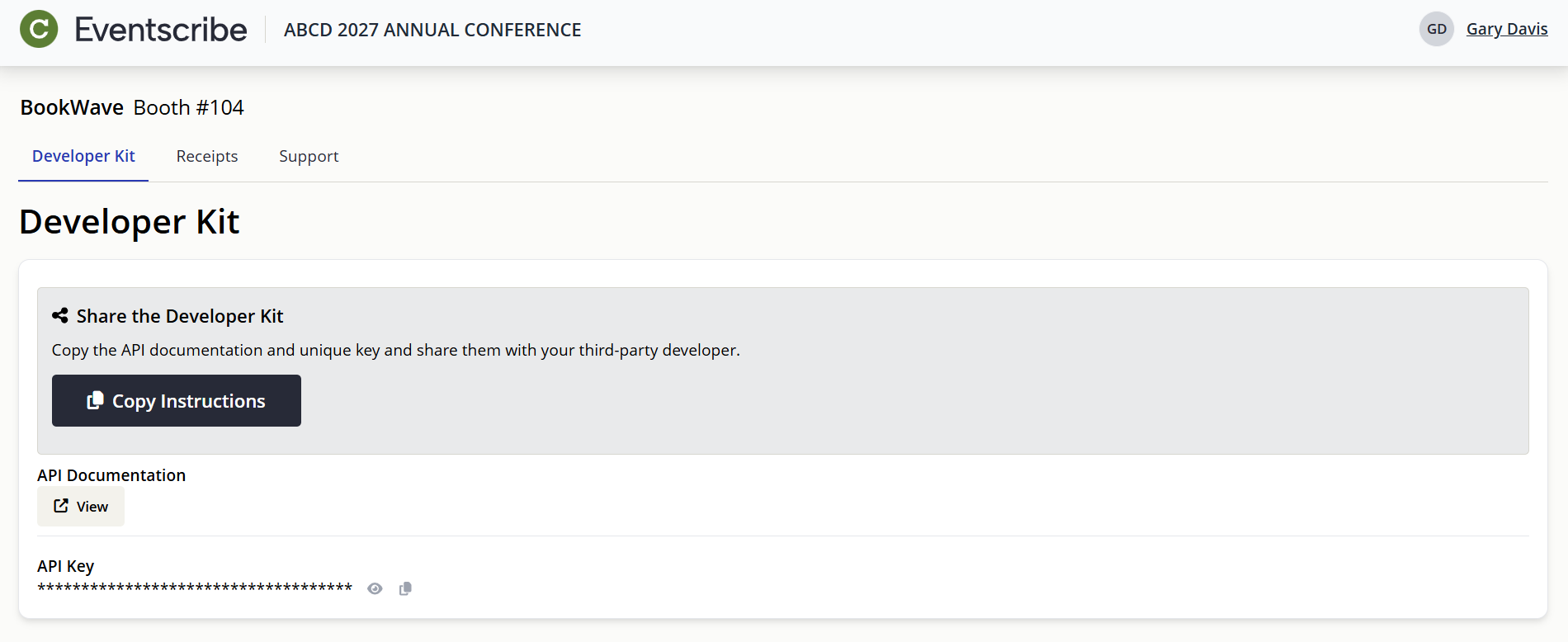
Fig. 1 - Exhibitor Portal for Developer Kit.
Developer Kit Details
The Developer Kit page includes:
- API documentation
- Your booth's unique API Key
- Test account information
- Copiable instructions to send to your third-party developer
Sharing the Developer Kit
Your developer will need your booth's unique API Key in order to implement the Developer Kit into your third-party lead retrieval software.
- Select the Copy Instructions button to copy your booth's API Key, API documentation, and test account information to your clipboard (Fig. 2)
- Send the copied information to your third-party developer who will be implementing the integration

Fig. 2 - Share Developer Kit Copy Instructions Button.
Test Accounts
Ensure your developer tests the API connection with your third-party lead retrieval software well in advance of the event. It is expected the developer build in ample time for implementing and testing the API in case support is needed.
IMPORTANT NOTE
The API Key is unique to your booth and should be kept secure. Only share the API Key with your developer. We strongly suggest using a secure password sharing site. There are free options available such as Onetime Secret.
Was this article helpful?
That’s Great!
Thank you for your feedback
Sorry! We couldn't be helpful
Thank you for your feedback
Feedback sent
We appreciate your effort and will try to fix the article